



Tasks and property showings in a calendar
Calls and showings are planned straight from a lead and shown as a board, a calendar or a table, and the system reminds you ahead of time.
What’s new
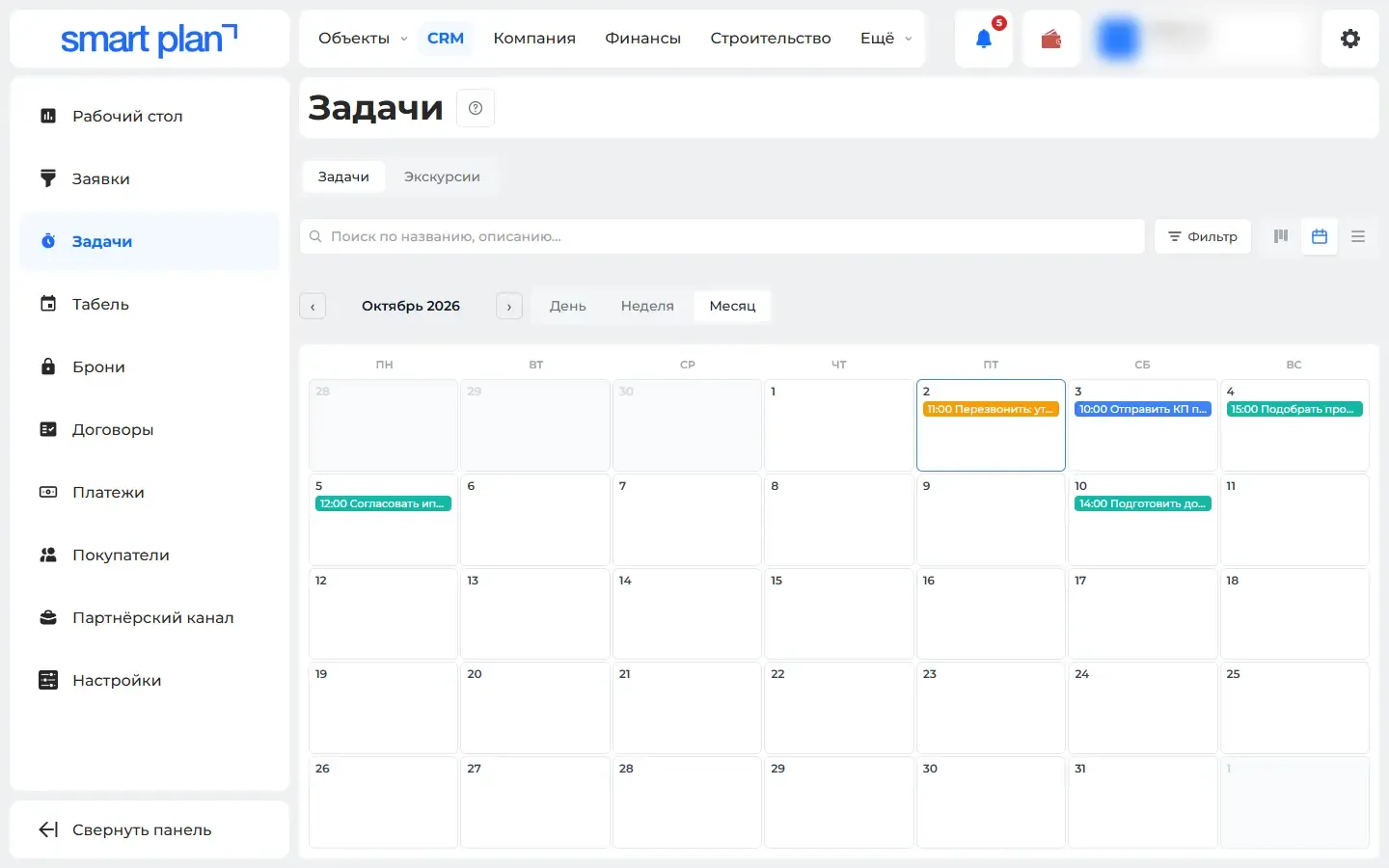
Tasks and property showings are created from a lead. You can see them as a board, a calendar or a table. A reminder arrives before the task, and a notice if it is overdue.
How it works
- Lead
- Task or showing on the calendar
- Reminder
- Mark: happened or not
What it looks like
How to use it
- 1
Open "CRM" → "Tasks" («Задачи»).
- 2
Choose the "Tasks" or "Showings" tab («Задачи» or «Экскурсии»).
- 3
Switch the view to calendar to plan the week.
Setup help
We’ll help you set up and get the most out of the update
What we’ll do
- Set it up for your project
- Show your team how to use it
- Answer your questions
Setup help request