



Smart plan product updates
Cases, news and updates
How developers sell with the master plan and unit chart, what’s happening at the company and what’s new in the platform.
Updates: 54 updates, 2024–2026; 2024: 5, 2025: 12, 2026: 37. Latest: October 2026. Product areas: 10 areas; Platform: 13, Interactive master plan: 12, Properties and data: 11, CRM: 4.
-
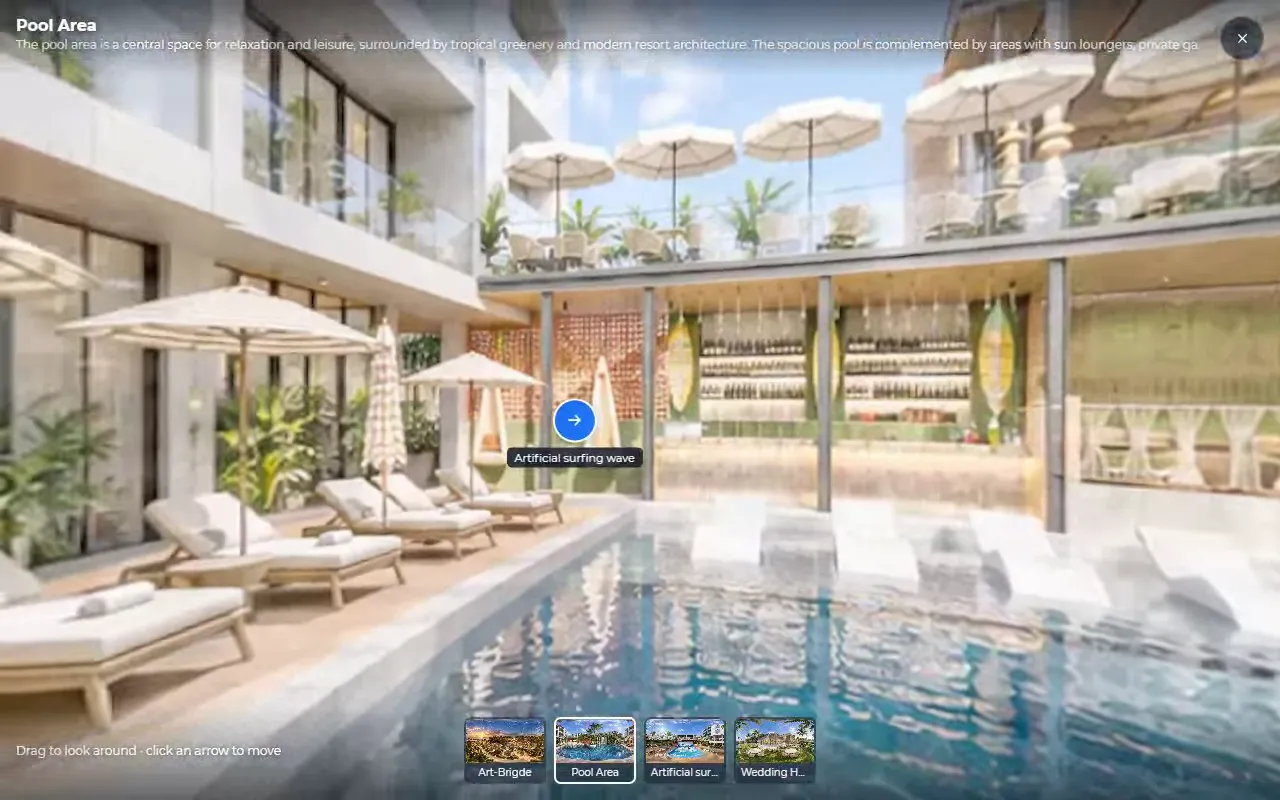
360° panoramas in plot, house and apartment cards
A buyer looks around the plot, the house or the window view in 360° panoramas right in the card, and on a phone the picture turns with the phone.
What it gives you: A buyer sees the plot and the view from the window before the site visit — and arrives already interested.
-
Boosters: pop-ups that lead a visitor to an enquiry
An offer window pops up on your website by itself — stock left, a timer, a price or a discount — and the version that brings leads is shown more often.
What it gives you: Boosters fill the sales funnel from the very top: more visits to the master plan mean more plot card views, leads and sales. Leads show which text works better.
-
Plot signs with a QR code
Printed signs with the plot number, area and a QR code: a buyer on site points a phone and sees that plot on the master plan and your contacts.
What it gives you: The community “talks” to buyers even without a manager. The file is print-ready and can go straight to the print shop.
-
Widget statistics: from visit to enquiry
See how many people opened the master plan, which lots they look at most, how many opened the lead form and how many sent it.
What it gives you: You see where buyers drop off: they don’t open the form, or abandon it halfway. And which lots are interesting and which nobody opens.
-
Plot card: boundaries on the map and the sun’s path
The plot card shows the plot’s own boundaries on the map and the sun’s arc in summer and winter, so buyers see where the light comes from.
What it gives you: The question “where will the sun be” is answered by the card itself — the manager doesn’t have to explain it on the phone.
-
Consent to data processing in website forms
The consent text is built from your company’s details, and every lead shows when and to which version of the text the buyer agreed.
What it gives you: If a question about personal data ever comes up, every enquiry has proof of consent.
-
A lot’s status on the website changes instantly
Once a lot is booked or sold, it changes colour on the master plan and unit chart for everyone viewing the website — no page reload needed.
What it gives you: Two buyers won’t pick the same apartment: a taken lot shows as taken immediately.
-
Search and filter in bookings and sales
Find a booking by the buyer’s name or phone, plot number or house design, and see the bookings that expire this week with a single filter.
What it gives you: Checking which bookings expire this week takes one filter.
-
A dashboard for home-building contractors
A contractor keeps a catalogue of house designs and shows them on community plots, while Splan AI sorts floor plans by storey and fills in room areas.
What it gives you: Ready-made house designs appear on the community’s plots — it is easier for a buyer to imagine what they will build.
-
Sign-in and registration are clearer
Hints under the password, any country code for a phone and a warning about a typo in the email — fewer “I can’t sign in” requests.
What it gives you: Fewer “I can’t sign in” requests — employees and partners handle registration on their own.
-
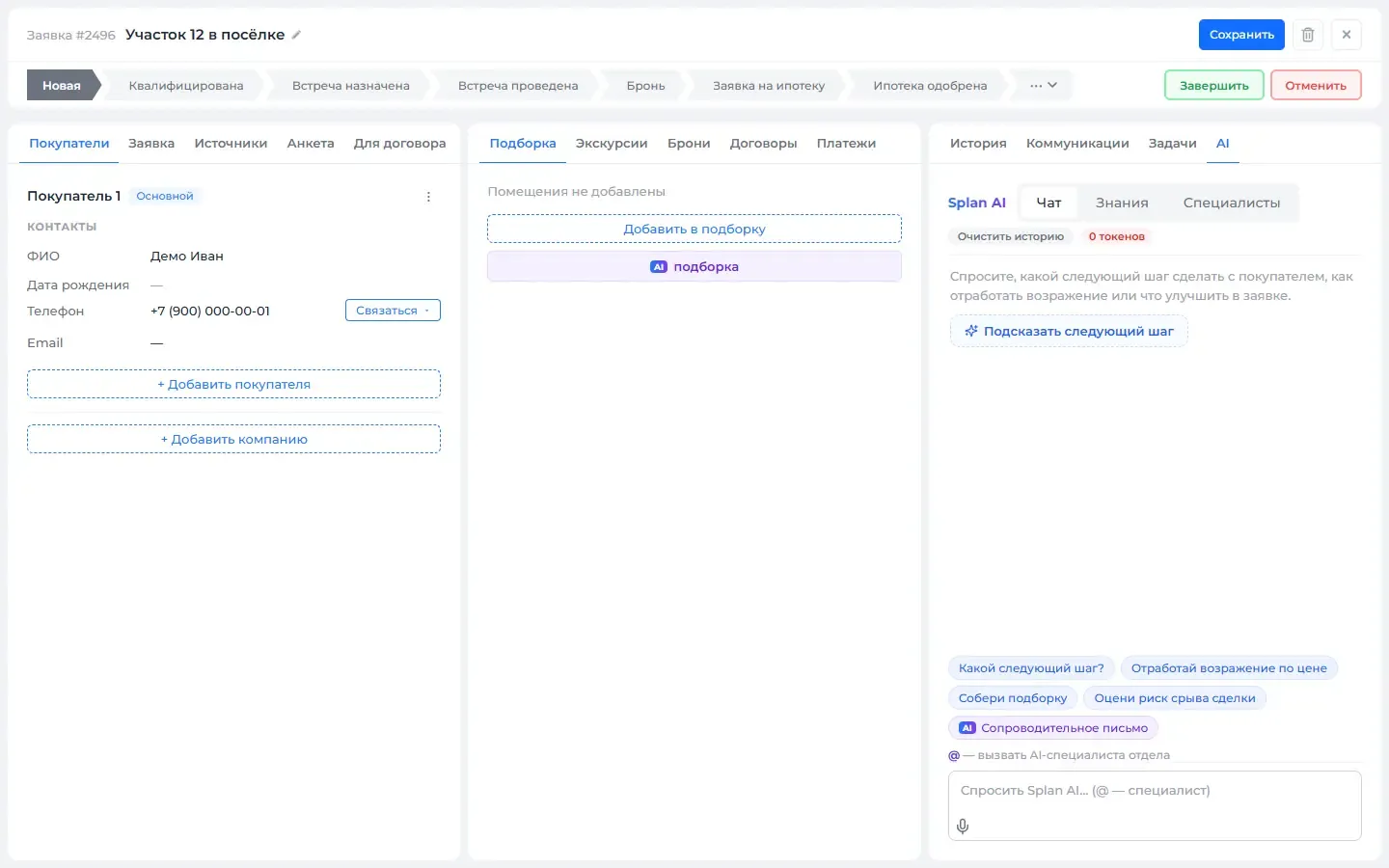
Comments can be dictated
Fields and chats now have a microphone: speak, and the text types itself. The browser recognizes speech, and the recording does not reach our server.
What it gives you: A comment after a call or a showing can be dictated from a phone on the go.
-
Your CRM changes apartment statuses on the website by itself
Connect Bitrix24 or amoCRM in a few steps: a deal moved to booked books the lot, a sale marks it sold. Statuses on your website update on their own.
What it gives you: Statuses on the website match what managers do in their own CRM. No need to check them by hand.
Nothing matches these filters
Remove some filters or ask us — we’ll help.
Demo
In a 30-minute demo we’ll set up the master plan and show you how to use it
We’ll set up at the meeting
- Master plan and unit chart
- Installation on your site
- Quote generator
- Price lists
- Feeds to listing portals
- Training