



Smart plan product updates — page 3
Cases, news and updates
How developers sell with the master plan and unit chart, what’s happening at the company and what’s new in the platform.
Updates: 54 updates, 2024–2026; 2024: 5, 2025: 12, 2026: 37. Latest: October 2026. Product areas: 10 areas; Platform: 13, Interactive master plan: 12, Properties and data: 11, CRM: 4.
-
Construction: work, warehouse and procurement
Construction work, materials and purchases in one section, with a heads-up on what to order next. Procurement and the construction team see the same numbers.
What it gives you: Procurement and the construction team see the same numbers. Materials are ordered on time.
-
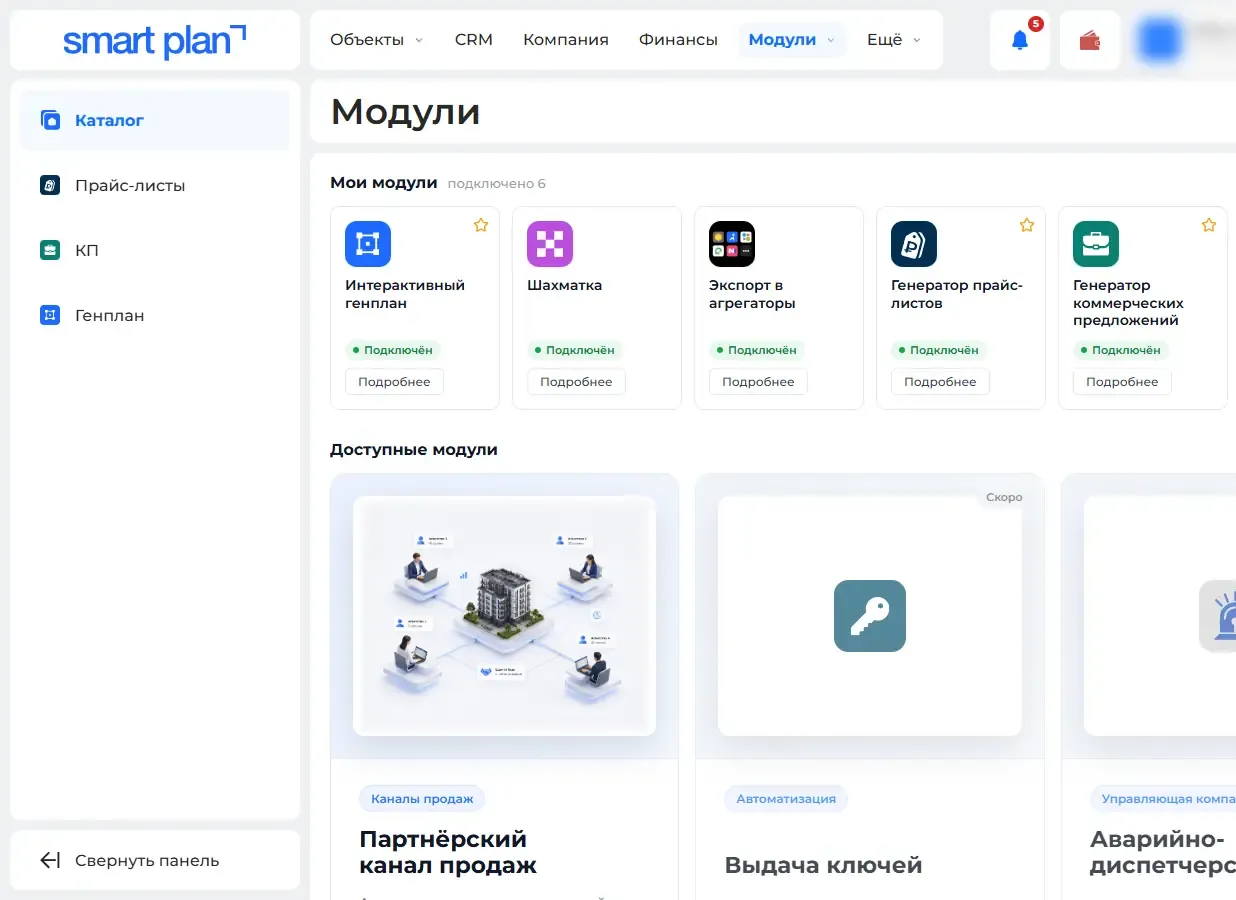
A new module catalog
Every module has its own page: what it does, how to start and what it costs. It is easier to see what else to add, and modules renew without emails.
What it gives you: It is easier to see what else you can turn on. A module renews without any emails.
-
Your website gets data from Smart plan automatically
Your website and software get properties, lots and showings from Smart plan with an access key and learn right away when a property changes status.
What it gives you: Data on your website and in your software matches Smart plan. No manual exports needed.
-
"House + plot" price list and a price list for chosen lots
Build a price list from just the ticked lots or all properties; for communities, a “Houses on plots” option shows the house and plot price together.
What it gives you: The buyer gets a price list with exactly what fits them, and sees the house-plus-plot price right away.
-
A messenger-ready offer as an image
An offer for a lot can be sent as a vertical image with photos, price and a payment schedule — the buyer opens it in a messenger with one tap.
What it gives you: The buyer sees the offer right in the chat, with no file to download.
-
Community plots — as a list or on the plan
Change plot prices and statuses while looking at the community plan, not a list of numbers: Ctrl+click selects several plots at once.
What it gives you: Changing prices and statuses is easier when you can see where the plot actually is.
-
Change history and undoing a mistaken edit
See who changed what and when in a property, and undo a mistaken edit. If more than 20 records change at once, admins get a warning right away.
What it gives you: An accidental mass edit of prices or statuses is no longer a disaster: you can see it, and you can undo it.
-
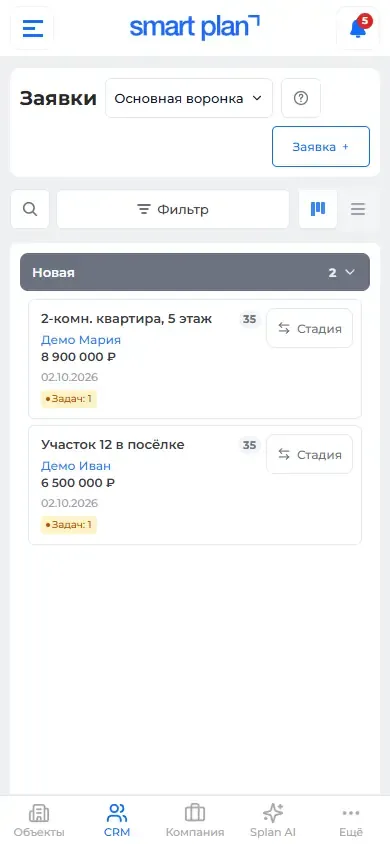
The dashboard on a phone, like an app
Smart plan can be added to your phone’s home screen like an app, and lot tables are denser, so managers work on a phone as fast as on a computer.
What it gives you: A manager works with stock and leads on a phone just as fast as on a computer.
-
Master plan and unit chart in several languages
A foreign buyer views the master plan and unit chart in their own language: choose the property’s languages and translate names and descriptions.
What it gives you: A property sells to foreign buyers without a separate version of the website.
-
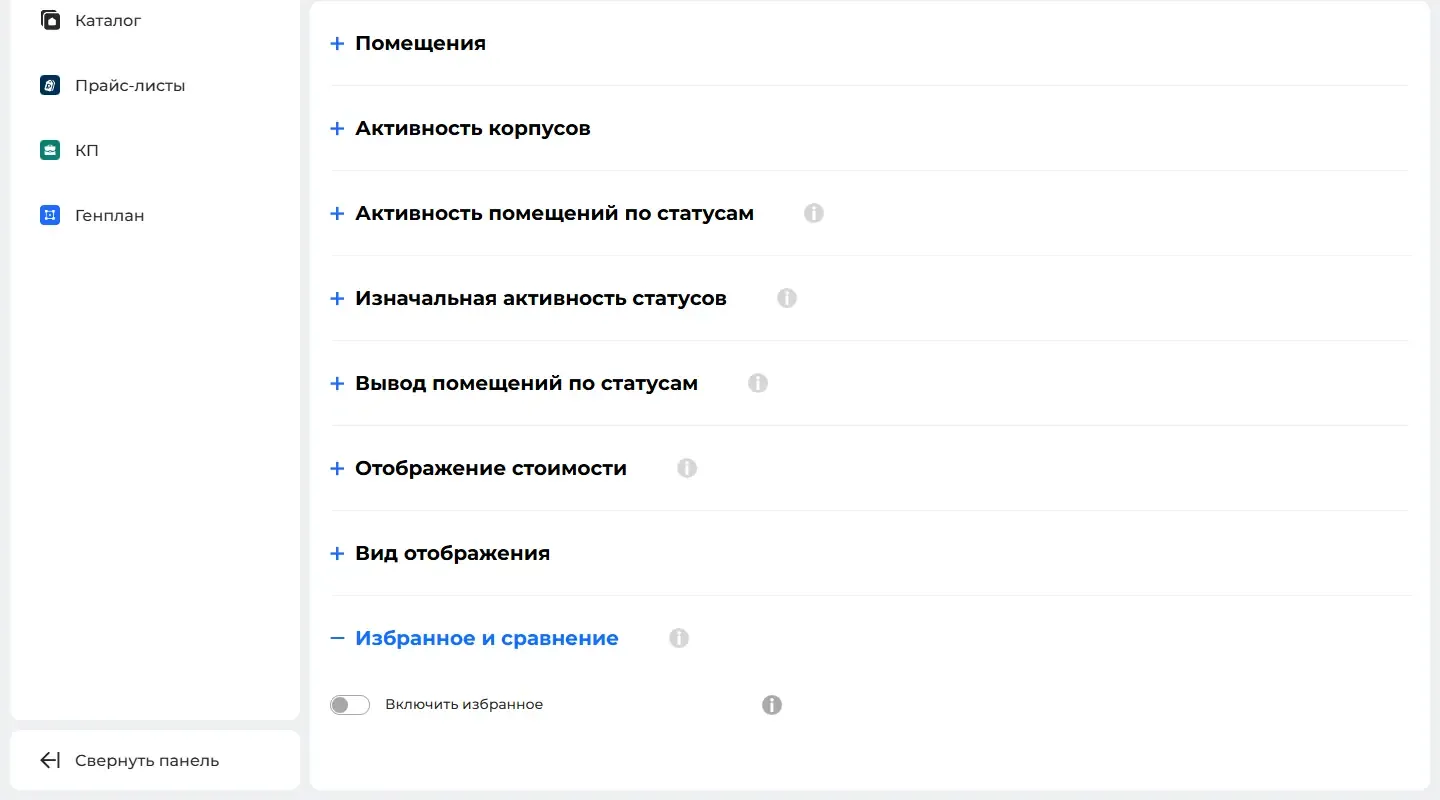
Favorites and comparison for lots on the website
Buyers heart lots on the master plan and unit chart, compare them, and send their favorites to the manager or share them by link.
What it gives you: You see which lots the buyer is choosing between. The call that follows comes with a precise offer.
-
Apartments on the floor plan mark themselves
Apartment outlines on the floor plan come from the layout file and numbers from the project documents. Splan AI reads the scans; a person only checks.
What it gives you: Getting a building ready to show on the website takes minutes, not days.
-
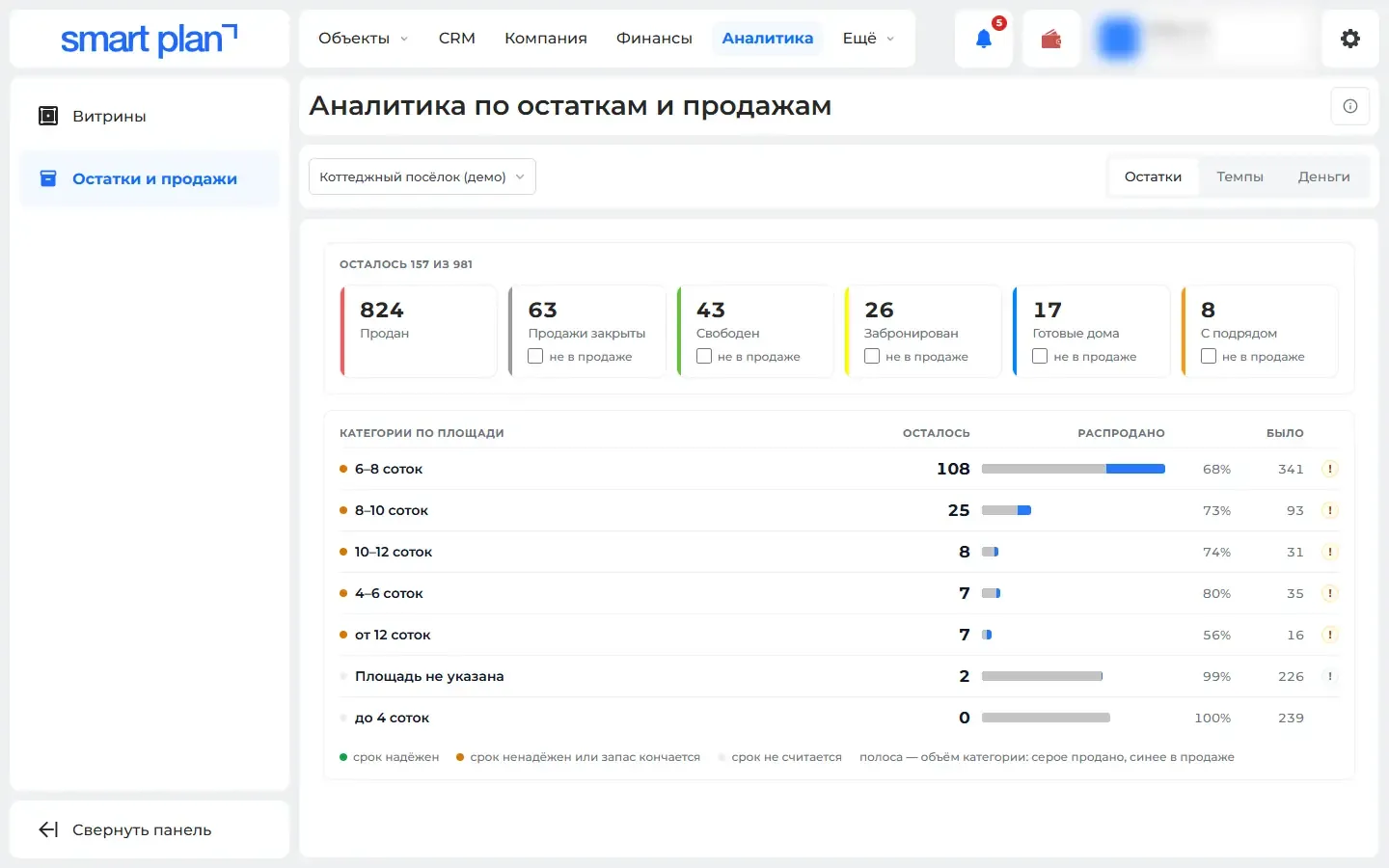
Stock and sales: what is left and how fast it sells
See what is still for sale by plot size and room count, how fast it sells, the forecast, and how much went to discounts and who gave them.
What it gives you: You can see which lots are stuck and what discounts are costing you. Price decisions get made on numbers.
Nothing matches these filters
Remove some filters or ask us — we’ll help.
Demo
In a 30-minute demo we’ll set up the master plan and show you how to use it
We’ll set up at the meeting
- Master plan and unit chart
- Installation on your site
- Quote generator
- Price lists
- Feeds to listing portals
- Training