



The dashboard on a phone, like an app
Smart plan can be added to your phone’s home screen like an app, and lot tables are denser, so managers work on a phone as fast as on a computer.
What’s new
Smart plan can be added to your phone’s home screen like an app. Tables are now denser: many lots fit on one screen. Windows close with a swipe, and the page refreshes when you pull it down.
How it works
Before
- On a phone, one lot filled the whole screen
Now
- 14 lots on one screen
- A Smart plan icon on the phone’s home screen
What it looks like
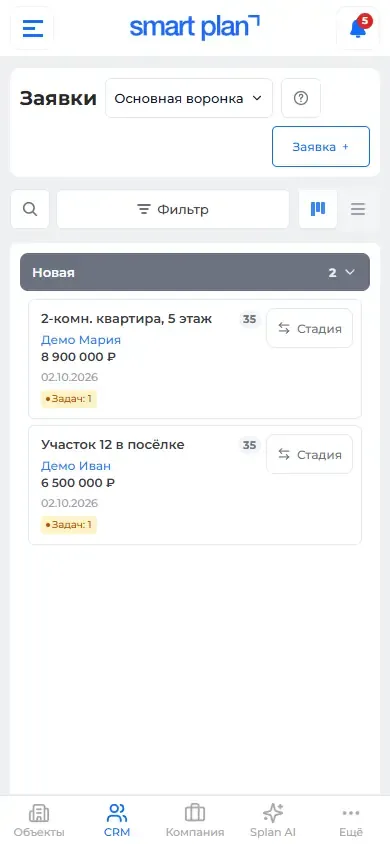
-
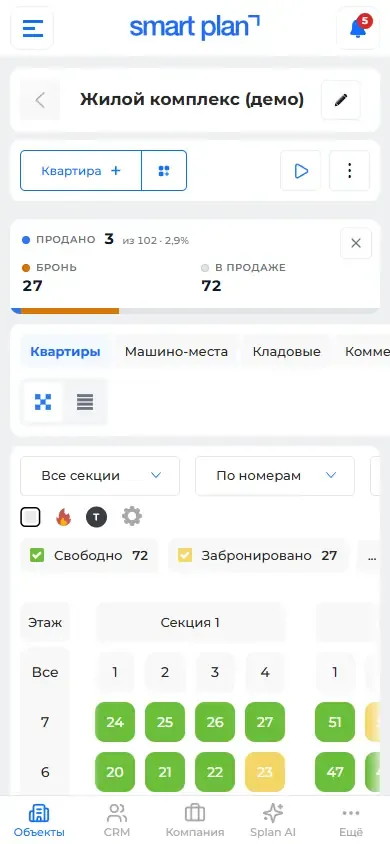
The unit chart on a phone
How to use it
- 1
Open the dashboard in your phone’s browser.
- 2
Follow the prompt "Add Smart plan to your Home Screen" («Smart plan на экране «Домой»»).
- 3
Open the dashboard from the icon from then on.
Setup help
We’ll help you set up and get the most out of the update
What we’ll do
- Set it up for your project
- Show your team how to use it
- Answer your questions
Setup help request