



- Apartments
- Parking spaces
- Storage units
- Commercial
Sitevisitorsnolongerleavewithout a chosen flat
Buyers pick an apartment by building, floor and room count on their own: price, status, floor plan and mortgage in one card. The unit chart helps the buyer with a mortgage decision and sends the lead with the chosen unit to your sales team. You pay only for leads.
Interactive apartment availability chart for your website
A unit chart is a widget on your complex’s site
Buyers pick an apartment on their own, and the chart takes on your site’s style.
- Live statuses and prices
- Buildings, sections and floors
- Filters: rooms and price
- Offers and price lists
- Bookings and tours in the CRM
- Mobile and 5 languages
How an interactive unit chart helps you sell more
The unit chart collects buyer data and turns it into deals. Every action in the chart is written to a profile: where the visitor came from, what they searched for, what they looked at.
The unit chart draws the buyer in
A live unit chart with promos and available apartments holds attention: visitors stay longer, open the chart more often and leave more requests, so your sales funnel fills up.
Choosing an apartment is easy, even on a phone
Rooms, floor, price and area are in the filters. The chart dims the rest and leaves the apartments that fit, and the card shows the floor plan.
A parking space and storage unit with the apartment
Parking and storage units sell in the same showcase, with their own statuses and prices. The buyer sees them next to the apartment, and the manager offers them in the same deal.
The interactive unit chart lifts conversion at every stage of the deal
More visits → more leads → more bookings and mortgages → more sales
- 01apartment card views
- 02qualified leads
- 03bookings
- 04mortgage applications
- 05mortgage approvals
- 06sales
Not square metres, but a complete home product
People don’t buy square metres — they buy a clear path to the deal: an apartment with a parking space and storage, an approved mortgage, and agencies that sell alongside you.
What the developer gains
-
Apartment + parking + storage
Parking spaces and storage units sit in the same showcase as the apartments, with their own statuses and prices. The buyer sees them next to the apartment, and the manager offers them in the same deal.
More revenue per dealParking spaces don’t sit idleEverything in one showcase -
Agencies sell your complex
City agencies see your apartments, parking spaces and storage units with current prices and statuses. They sell alongside you, not instead of you.
A new sales channelAutomatic client lockCommission tracking -
A mortgage that gets approved
The buyer taps “Buy with a mortgage” and fills in a form. In their personal account Splan AI reviews their credit history and gives a personal plan to get approved. We apply automatically to the target banks, not to all of them at once.
More approvals, more sales
Setting up the unit chart in Smart plan is as easy as sending a file in a messenger
Setting up the unit chart takes under 30 minutes — we’ll do it with you on a Zoom call
Apartments from a price list or feed, no manual entry
Upload Excel, CSV or a Yandex Real Estate feed — apartments, parking spaces and storage units land in the chart with area, price and status.
- 248apartments
- 64parking spaces
- 32storage units
The unit chart adapts itself to your site’s style
Your logo and colours carry over to the unit chart and the offer — the offer also picks up your contacts from the site — and colours flow into the price list, all in one click, no designer or code changes.
- Unit chart
- Offer
- Price list
One floor plan for every apartment of a type
Upload a 2D or 3D floor plan once and it appears in every apartment of that type. Area, rooms and price come from the price list.
- Apt 12floor 3
- Apt 28floor 5
- Apt 44floor 7
- Apt 68floor 10
- Apt 84floor 12
Request goes straight to the CRM
With full context: which apartments the buyer viewed, which filters they set and which payment method they chose. Into Splan CRM, AmoCRM or Bitrix24.
- Splan CRM
- AmoCRM
- Битрикс24
Get an audit of your complex’s website
We’ll break down the buyer’s path from ad click to request.
- Where you lose buyers — step by step
- A prioritized list of improvements
- An estimate of the work involved
- Free, within 1 business day
- Path to the apartment
- Prices and availability
- Request and CRM
- Feeds
- Prices shown only "on request"
- Statuses are updated by hand
- There is organic search traffic
+ 9 prioritized items
Demo data
Our solutions are used by 200+ developer projects in Russia and abroad
- The unit chart is free — pay only for leads
- Launch in a single meeting
- Statuses and prices update themselves everywhere
- Works with AmoCRM and Bitrix24



































Case study · Adding to the developer’s existing showcase
Kortros apartment complexes on Smart plan
Apartments, storage units and parking spaces — in interactive unit charts on the project websites. The widgets are seamlessly built into kortros.ru.
- TATE
- Headliner
- iLove
- Ravnovesie
- Ultima City
- Perviy Akadem
- Novaya Olimpika
- Intuitsiya
- Perm City
- Bauman House
- Sputnik-1
- Secret Garden
- Oktarin
- 1414 apartment complexes on Smart plan
- 22 712lots sold with Smart plan
- since 2024on Smart plan




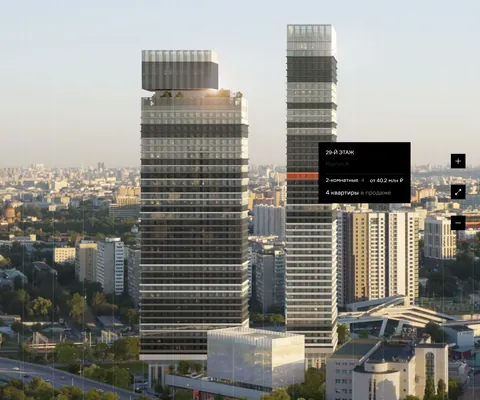

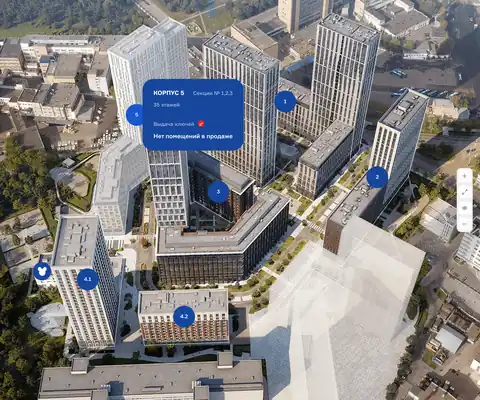

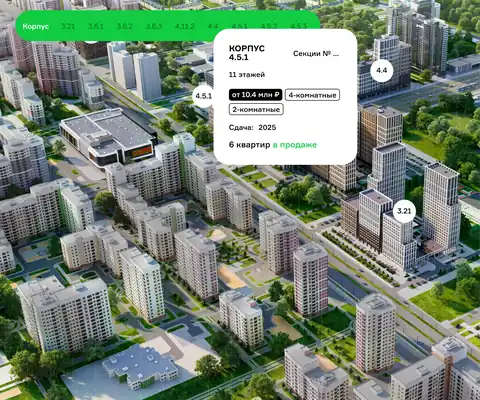

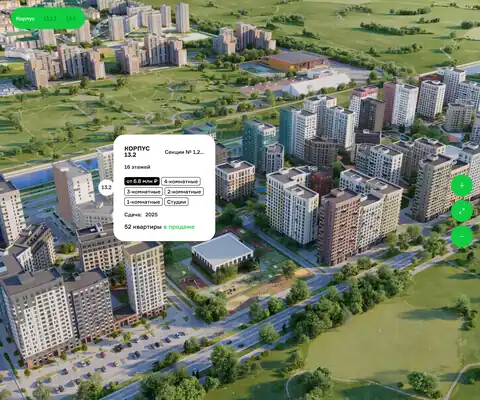


Pay for results, not for a subscription
The unit chart is free — no subscription, no implementation fee. You pay only when the unit chart brings a buyer.
- 0 ₽ no subscription fee
Free setup and use
We set up your complex and put the unit chart on your site right at the meeting.
- 450 ₽ per unique lead from the unit chart
Per unique lead from the unit chart
Only for leads the unit chart brought. The first 5 are on us, and a disputed lead can be challenged within 14 days.
Questions about the interactive unit chart
Didn't find an answer? Ask us — we reply within one business day.
What is an interactive unit chart?
The complex’s apartments by building, section and floor on the developer’s website. The buyer sees the status and price of every apartment, filters by rooms, floor and price, opens a card with the floor plan and leaves a request. It’s the same data as in the CRM and the listing feed.
How much does a unit chart cost for an apartment complex website?
The unit chart is part of the free module set. The platform charges for unique leads, not for the widget itself: the first five leads are on us.
Can I sell parking spaces and storage units?
Yes. Parking spaces and storage units are set up as separate units of the complex, with their own statuses and prices, and appear in the same showcase as the apartments.
How do I load the apartments?
From Excel or CSV, or from a Yandex Real Estate or Domoplaner feed. A floor plan only needs to be uploaded once per apartment type.
Can the unit chart be embedded on any website?
Yes. The widget embeds with a single line of code — no need to rebuild the site. It works on Tilda, WordPress, Bitrix and custom-built websites.
How fast can the unit chart be connected?
At a launch meeting: we set up the complex, load the apartments with statuses and prices, and put the showcase on your website. From you — a price list or feed, renders and floor plans.
Related solutions4
14 more questions
How do I add the chart to Tilda?
Open “Site settings” → “Code insertion” and paste the code from the “Widget code” tab into the HEAD field. On the free Tilda plan, add a T123 “HTML code” block to the page and paste the code there.
How is the chart different from a complex master plan?
The chart shows apartments as a table by section and floor. The complex master plan lets buyers pick a building, floor and apartment on a photo of the building and a floor plan. They share the same data, and you can put both on your site.
How do apartment statuses update in the chart?
Change a status in your account and the chart shows the new one. If sales run in amoCRM or Bitrix24, a booking in the deal books the apartment automatically. If inventory lives in another system, Smart plan pulls it by link every hour.
Can I show an apartment on the floor plan?
Yes. Buildings, floors and apartments are marked on the image, and each apartment opens a card with its floor plan and price. Settings for one floor can be applied to all floors.
Can I build a proposal straight from the chart?
Yes. In your account, select apartments in the chart and pick an action: a PDF proposal, a proposal image for messengers, or a price list for the selected apartments.
Can I see which apartments get the most views?
Yes. The heat map colors the chart by views, favorites, requests and tours. The widget’s “Statistics” tab shows visits, form opens and sent requests.
Does the chart work on phones and in other languages?
Yes, buyers can easily pick an apartment on a phone. You can choose languages for a property and translate names and descriptions, and the buyer switches the language right in the chart. Languages are available on request.
What counts as a unique lead?
A request from a phone number you haven’t had in the last 30 days. A repeat request from the same buyer within that time isn’t charged. The first five leads are on us.
How the apartment availability chart works in Smart plan
The interactive chart for your complex’s website is built from your data, not drawn by hand. We go through these steps with you at the launch meeting.
- Load apartments, parking spaces and storage units from Excel or CSV. If your inventory already lives in another system, give us the link to the lot list for Yandex Real Estate or Domoplaner, and the data will update every hour.
- Upload a floor plan once per apartment type. It appears in every apartment of that type, while size, room count and price come from the price list.
- If buyers should choose on a photo of the building, mark the buildings, floors and apartments on the image. The settings for one floor can be applied to all floors or to selected ones.
- Set payment options, the request form, and your website’s logo and colors.
- Copy the code from the “Widget code” tab and add it to your website.
The chart in your account: the same inventory as on the website
On the “Units” tab, a building’s apartments switch to the “Unit chart” view. All inventory fits on one screen, and you edit it right where you look at it.
Select several apartments to edit, copy or archive them, or to build a sales proposal and a price list. Proposals come as a PDF or as a vertical image for messengers, with photos, price, payment schedule and the chart.
The heat map colors the chart by buyer interest: views, favorites, requests and tours. You see at once which apartments get attention and which sit still. The stock report groups apartments by room count, with the sales pace and a forecast next to it.
Each property keeps a change history: who changed what and when. A mistaken bulk edit can be undone after you preview what will be restored.
Smart plan vs an Excel price list vs a custom chart
While a complex sells from a spreadsheet or a PDF price list, buyers call to ask what’s available. A chart built by a web studio solves half of that: it still needs updates and changes. Here is a comparison by function.
| What you need | Excel or PDF price list | Custom chart from a web studio | Smart plan |
|---|---|---|---|
| Apartment statuses | Correct as of the file date | Updated by whoever runs the site | Change with every booking and sale |
| Floor plans | Separate files | Uploaded to each apartment | One per apartment type |
| Parking and storage | A separate price list | Only if it was in the budget | In the same showcase, with their own statuses |
| Search | Scanning the table by eye | Filters as specified | Rooms, floor, price and size |
| Request | A call to sales | A form, then manual work | To the CRM, email or Telegram, with the chosen apartment |
| Proposals and price lists | Put together by hand | None | From selected apartments in a couple of clicks |
| Cost | Sales reps’ time | Development and support | The chart is free, you pay for unique leads |
How to embed the interactive chart on your complex’s website
There is one code for every platform, and you get it on the “Widget code” tab. The chart runs on the domain you set in the settings and adapts to your site’s style. It can fill the whole page, sit in a block on the page or open in a pop-up from a button.
- Tilda: “Site settings” → “Code insertion” → the field for HTML code inside HEAD. The free plan has no access to HEAD, so add a T123 “HTML code” block to the page and paste the code there.
- WordPress: paste the code into the theme’s header.php before the closing </head> tag. A plugin that inserts code into the head is safer, because edits to the theme are lost when it updates.
- 1C-Bitrix: in the site template, open header.php, paste the code before </head>, save the template and clear the cache under “Autocaching”.
- Any other website: add the code once to the shared template before </head>, then place a container on the page where the chart should appear.
Which complexes the apartment availability chart fits
A single-building complex. The chart shows the whole building by section and floor, the filter keeps only matching apartments, and the card shows the floor plan and monthly payment.
A complex with several buildings and phases. The buyer picks a phase, building, floor and apartment right on a photo of the building and the floor plan. Apartments on a floor plan can be marked automatically: outlines come from the floor plan file and Splan AI reads the scans. This feature is available on request.
A complex with parking and storage. Parking spaces and storage units sell in the same showcase as apartments, and the sales rep offers them in the same deal.
A developer with several complexes. Chart settings carry over to a new property along with proposal and price list templates. For buyers from other cities and countries you can choose languages for a property, and the buyer switches the language right in the chart. This is also available on request.
Chart integrations
A request from the chart goes to your sales team’s email, amoCRM, Bitrix24, a sales rep’s Telegram or the Smart plan CRM, with the number of the apartment the buyer chose. You can add an “I’m not a robot” check to the form.
If deals run in amoCRM or Bitrix24, the link works both ways: when a rep moves a deal to booked, the apartment is booked in the chart, and when it moves to sold, it is sold. Before launch you can check how it will behave without changing anything.
Buyer actions in the chart show up in Yandex Metrica. The same prices and statuses feed listings on Cian, Avito, Yandex Real Estate, DomClick and M2. For large developers we set up data exchange with 1C, an ERP or their own website.
Demo
In a 30-minute demo we’ll set up the unit chart and show you how to use it
We’ll set up at the meeting
- Master plan and unit chart
- Installation on your site
- Quote generator
- Price lists
- Feeds to listing portals
- Training