


210 m² · 2 fl. 13.4M rub
- Cottage communities
- Townhouses
Aninteractivemasterplanthatturnswebsitevisitorsinto buyers
Buyers choose a plot on your community’s master plan on their own: price, status and a house. The master plan helps with the mortgage and sends the request with the chosen plot to your sales team.
Interactive community master plan for a developer’s website
The interactive master plan is a module for your website that sells better than a manager
The master plan does a manager’s job on its own: it shows, matches and calculates the mortgage day and night. Your sales team gets a buyer who has already chosen.
- Free plots and prices always up to date
- Offers and discounts right on the plan
- Plot matched to the buyer’s lifestyle
- Houses from every builder in the region
- Help with mortgage and installments
- Request, tour and booking go straight to the CRM
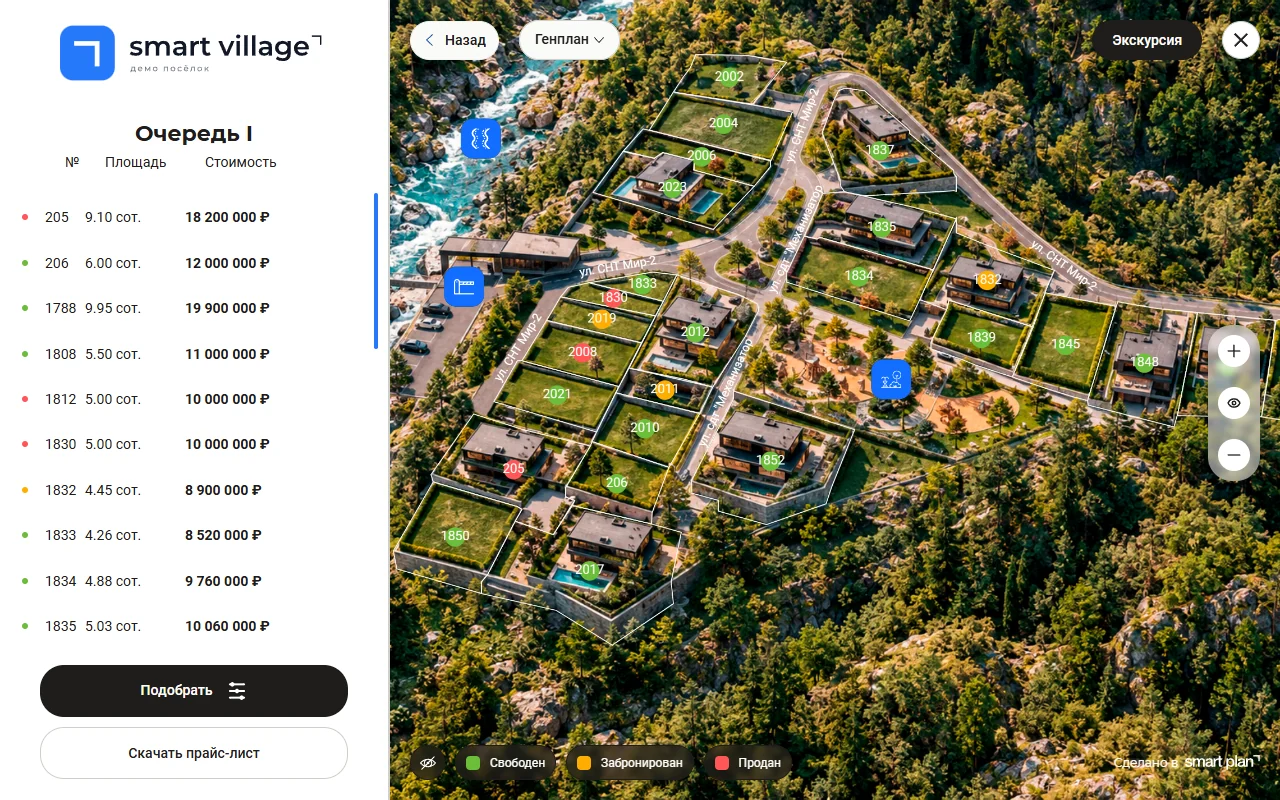
How an interactive master plan helps you sell more
The master plan collects buyer data and turns it into deals. Every action on the master plan is written to a profile: where the visitor came from, what they searched for, what they looked at. Then the master plan offers the buyer what they wanted and helps them get a mortgage.
The master plan draws the buyer in
A live master plan with promos and available plots holds attention: visitors stay longer, open the master plan more often and leave more requests, so your sales funnel fills up.
Discount on 10-12 are plots
Choose a plot %
4,250,000 rub Learn more
Plot No. 12 Available
4,250,000 rub Book a tour Tour booking John +1 555 •••-••-12 Book
Request sent A manager will call today
Helps choose a plot and house for the buyer’s lifestyle
To most buyers, plots on a master plan are just rectangles with no visible difference. The master plan asks what matters, a snowmobile, a sauna, kids, quiet, then shows the plots that fit, explains why they are better and suggests a house for that lifestyle.
Every plot gets house projects from all builders in the region
We match the plot with houses from everything on the market: projects from every builder in the region. The buyer chooses by budget and lifestyle, and the master plan drops anything that doesn’t fit the building footprint.
- HomeBuild
- Northern Home
- Timber Co
Doesn’t fit
Projects from every builderFit the building footprintMatch budget and lifestyle
up to 10M rub 2 floors
140 m² · 2 fl. 8.9M rub
matches 96 m² · 1 fl. 6.2M rub
150 m² · 2 fl. 12.5M rub
Helps the buyer find a way to buy and get a mortgage approved
The mortgage module in the master plan helps the buyer find a way to buy. The system builds and analyses a credit report, suggests how to raise the credit score, and fills in the mortgage application together with the buyer. Or a developer installment plan with a payment schedule.
- Close an extra credit card
- Confirm income
The interactive master plan lifts conversion at every stage of the deal
More visits → more leads → more bookings and mortgages → more sales
without the master plan with Smart plan master plan
- 01plot card views
- 02qualified leads
- 03bookings
- 04mortgage applications
- 05mortgage approvals
- 06sales
The master plan brings the buyer — the ecosystem closes the deal
People don’t buy a plot, they buy a home they can afford. So we connect builders, agencies and banks to the master plan, and your community sells a complete home product.
We connect developers, builders, agents and banks so that suburban real estate finally starts selling
Regional buildershouses matched to your plots automatically
Banks×2 mortgage approvals — more sales
City agenciessell your plots with partner houses
Your community We build a ready home product — plot + house
What the developer gains
-
Plot + house
We bring together builders in your region. The plot card shows houses that fit the building footprint, style, area and budget. Sell a builder’s house and you earn a commission, like a real estate agency.
Commission on every houseHouses that fit your plotsBuild yourself — we show only your houses -
Agencies sell your community
City agencies get a configurator with your plots and partner houses. They sell alongside you, not instead of you.
A new sales channelAutomatic client lockCommission tracking -
A mortgage that gets approved
The buyer taps “Buy with a mortgage” and fills in a form. In their personal account Splan AI reviews their credit history and gives a personal plan to get approved. We apply automatically to the target banks, not to all of them at once.
More approvals, more sales
Land without a house is not a product
- ~20% of new single-family homes in the US are custom-built: the owner buys land first, then hires a builder NAHB Eye on Housing, Mar 2026
- 64% of US home builders say buildable lots are in short supply NAHB/Wells Fargo HMI, May 2025
- 61% of US builders reported serious problems with the cost and availability of labor in 2025 NAHB Eye on Housing, Feb 2026
The market sells in pieces
- the developer sells land through spreadsheets and calls
- the builder sells the house separately, later
- agents check prices and availability by hand
- the mortgage is arranged apart from the house
- the sales logic lives in managers’ heads
But buyers want to
- see the community and their plot on the master plan
- see the house on that plot and the total price
- compare house designs
- know right away if the mortgage will be approved
- send a request without long back-and-forth

The developer offers land, the builder offers houses, agents bring traffic and the bank provides the tool to buy — and Smart plan unites everyone in one system and gives transparency to every participant.
One tool for growing sales, marketing and running the property
Project units · 1 104
- Sold767
- Booked38
- Reserved18
- For sale281
- 281for sale
- 9/mopace
- 31 morunway
Availability and sales pace
How much is sold and booked, how much moves per month, and how long the remaining stock will last.
Price suggestions
- Raise the pricedemand above market +3%
- Hold the priceon pace with the plan =
- Run a promothe lot sits longer than the market −4%
Price suggestions
Raise the price on hot lots, offer a discount or promo on cold ones.
Buyer profile Family, 140 sq m house, mortgage
- Yandex · 10 ares
- 10–12 ares, by forest
- plots 12, 14, 21
- up to 5M rub
- showcase
- notifications
- CRM
- ads
Requests arrive with context
Source, filters, viewed plots and budget come together in one profile. It feeds the showcase, notifications, CRM and ads.
Selection · 3 plots
Sent to the buyer A selection and quote in a minute
The manager assembles a selection from showcase cards and sends the buyer a ready document.
Demand per lot · 30 days
cold hot sold
Demand for every lot
The showcase heatmap shows which lots are hot and which sit unsold. Views and requests for each.
Showcase over 30 days
- Views12,480
- Requests214 1.7%
- Tours64 30%
- Bookings38 59%
Showcase funnel
Views, requests, tours and bookings over 30 days: see exactly where buyers drop off.
Showcase
and CRM
and CRM
- Cian
- Avito
- Domclick
- Yandex
Feeds to listing portals from one source
Cian, Avito, Domclick and Yandex pull prices and statuses from the same base as your showcase. No discrepancies.
BuyerYandex · "plot near the forest"
- Opened the master plan
- Filter: 10–12 ares, up to 5M rub
- Viewed 3 lots
- Left a request
A buyer profile, not an anonymous click
Source, filters and viewed plots are collected into a profile you can use in ads and mailings.
Project financial model
Margin29,6%
Budget plan vs. actual−1,8%
Escrow released38%
A financial model for every property
Margin, cash flow and budget plan vs. actual. Every discount shows up in the financial result.
Where buyers come from
Lead sources and their contribution to bookings: see which channel pays off and which just warms traffic.
Managers Anna Igor Maria
Manager performance
Response speed to requests, bookings and contracts, for every team member.
Dynamic pricing
A starting price from lot specs and demand-based dynamics.
Setting up the master plan is as easy as finding a plot on the cadastral map
Setting up the master plan takes under 30 minutes — we’ll do it with you on a Zoom call
01
Plots straight from the cadastre, no manual entry
Enter the cadastral number and outline the whole community — in 30 seconds every plot is in the system, with numbers, areas and boundaries.
Object creation wizard / Plots 30 seconds and done
Cadastral number 50:12:0010203:145 Find
02
The interactive master plan adapts itself to your site’s style
Your logo and colours carry over to the master plan and the offer — the offer also picks up your contacts from the site — and colours flow into the price list — all in one click, no designer or code changes.
Object creation wizard / Styling
Site address yoursite.com Match my site Scanning…
- Master plan
- Offer
- Price list
yoursite.com
Plot 12 · 8.2 aresAvailable Send a request
yoursite.com
Plot 12 · 8.2 ares House 140 sq m · 4 rooms 7,900,000 rub Send to client
Price list
Plot 10 Free 4,250,000 rub
Plot 11 Booked 4,520,000 rub
03
The plot card fills itself in
Smart plan writes a unique description, gathers the specs, draws the plot layout: house, garage, bathhouse, and enhances house photos and floor plans. And you spend no time filling it in.
Object creation wizard / Plot card
Plot No. 12 Available
- Specs
- Description
- Plot layout
- Photos and floor plans
04
Request goes straight to the CRM
With full context: which plots the buyer viewed, what budget they set and which payment method they chose. Into Splan CRM, AmoCRM or Bitrix24.
CRM / Requests
New request Plot 12 · House 140 m² Mortgage
- Splan CRM
- AmoCRM
- Битрикс24
To meet the needs of large developers, we build integrations of any complexity
A major developer needs more than "install the widget": its own systems, non-standard objects and development for the project. That is how we connected Kortros and other major developers.
Data exchange Smart plan
- CRM
- Website
- 1C / ERP
- Any software
Integrations with any system
CRM, website, 1C, ERP, task tracker or your own portal — lots, prices, statuses and requests flow both ways instead of being copied by hand.
Building new functionality
- Gather feedback
- Ship an MVP
- Refine from feedback
- New module is ready
Custom development
We build a new module for any task you have: gather requirements, ship an MVP, refine it from feedback and turn it into a full product.
Property structure
- unit
- parking
- storage
Complex objects
Parking spots, storage units, multi-section buildings and phases — mapped to your real sales structure.
Secure environment
- Manager
- Sales lead
- Partner
Change log
- Lot 14 price changed
- Booking made · plot 21
- Sales report opened
Security and a dedicated team
A dedicated environment, role-based access, a change log. An implementation manager and your own update schedule.
Get an audit of your community’s website
We’ll break down the buyer’s path from ad click to request.
- Where you lose buyers — step by step
- A prioritized list of improvements
- An estimate of the work involved
- Free, within 1 business day
46 out of 100
- Path to the plot
- Prices and availability
- Request and CRM
- Feeds
- Prices shown only "on request"
- Statuses are updated by hand
- There is organic search traffic
+ 9 prioritized items
Demo data
Our solutions are used by 200+ communities and apartment complexes in Russia and abroad
- Master plan is free — pay only for leads
- Launch in a single meeting
- Statuses and prices update themselves everywhere
- Works with AmoCRM and Bitrix24


































OceaniqActivo
Case study · Villas and apartments in Bali
Oscar Hartmann’s villas in Bali sell through Smart plan
Oscar Hartmann’s Activo projects: three villa phases and two apartment complexes — in interactive master plans in Russian and English, right on the project websites.
- 222lots on master plans
- 136lots sold with Smart plan
- since 2025on Smart plan since

Case study · Adding to the developer’s existing showcase
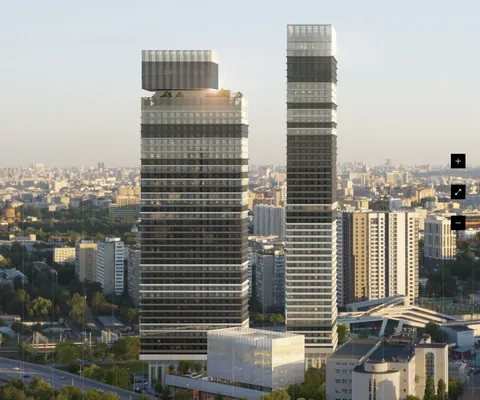
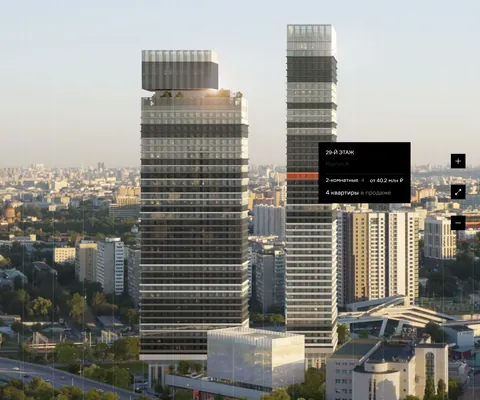
Kortros apartment complexes on Smart plan
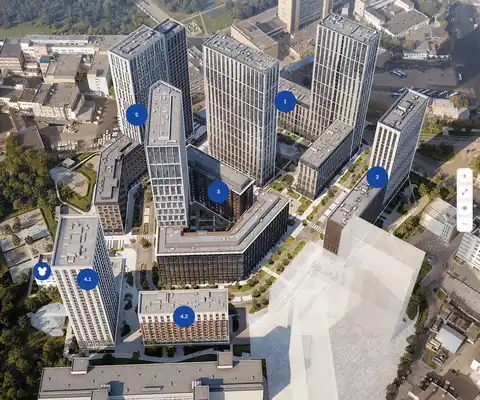
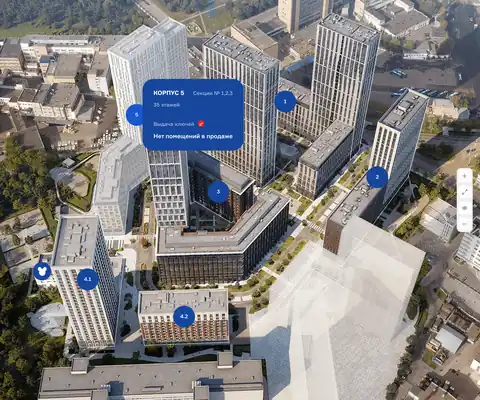
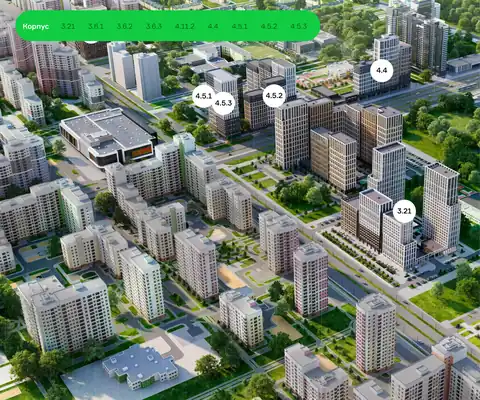
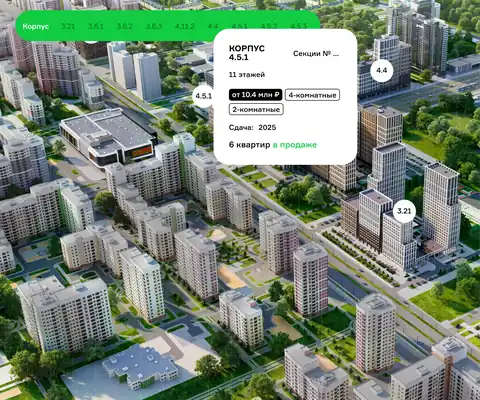
Apartments, storage units and parking spaces — in interactive unit charts on the project websites. The widgets are seamlessly built into kortros.ru.
- TATE
- Headliner
- iLove
- Ravnovesie
- Ultima City
- Perviy Akadem
- Novaya Olimpika
- Intuitsiya
- Perm City
- Bauman House
- Sputnik-1
- Secret Garden
- Oktarin
- 1414 apartment complexes on Smart plan
- 22 712lots sold with Smart plan
- since 2024on Smart plan
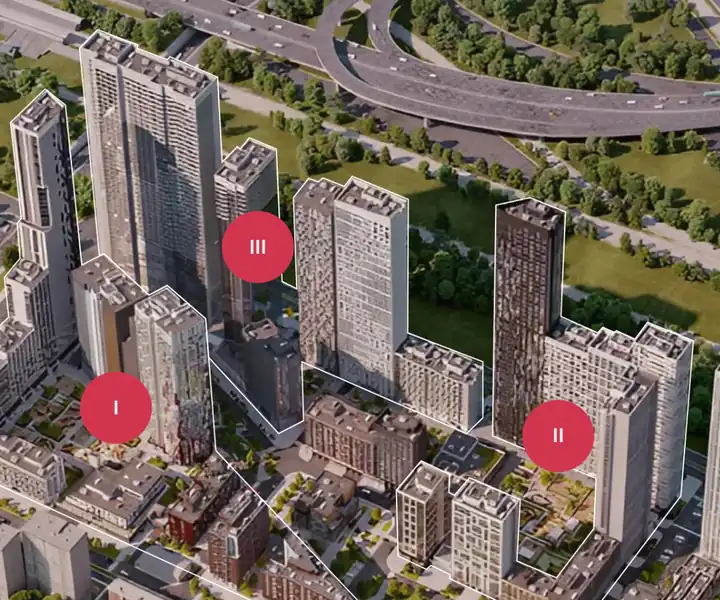


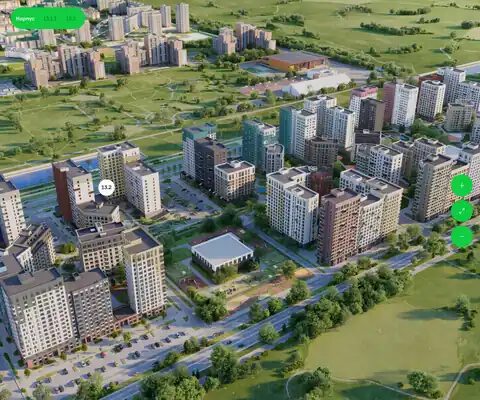
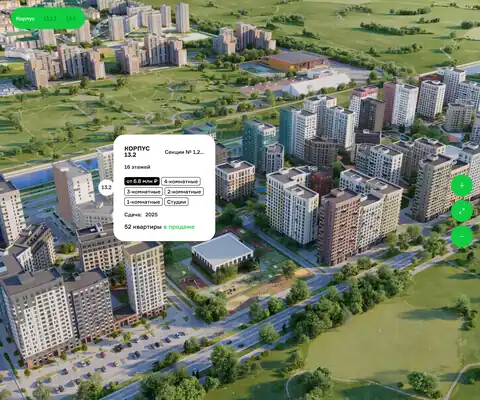



Case study · Master plan and sales of private-house plots
Leader Invest Group on Smart plan
Changing prices used to take us a whole week… Since we moved to Smart plan, it takes a few minutes. One simple feature already saves us a week of work.
- Sibirskie Prostory
- Unit Park
- Leader Business Park
- 2,500 haland cluster area
- 1 087plots sold with Smart plan
- since 2024on Smart plan
Pay for results, not for a subscription
The master plan is free — no subscription, no implementation fee. You pay only when the master plan brings a buyer.
- 0 ₽ no subscription fee
Free setup and use
We set up your community and put the master plan on your site right at the meeting.
- 450 ₽ per unique lead from the master plan
Per unique lead from the master plan
Only for leads brought by the master plan. The first 5 are on us, and you can dispute a lead within 14 days.
- 10 000 ₽ per plot sold
Per plot sold through the Smart plan partner channel
The partner channel means sales inside the ecosystem by builders and agencies. The developer pays the builder’s or agent’s commission directly; it is not included here.
How much the master plan will earn you
More sales from the same site visitors, without raising your ad budget or changing your website.
Revenue per month before ad spend
6 600 000 ₽79 200 000 ₽ per yearTotal sales a month
3.32 from the master plan + 1.3 via partners- 1 500site visitors a month
- 19qualified leads from the master plan
- 2sales from the master plan
- 1.3sales through partnersagencies and builders
Qualified lead — the buyer picked a plot and left a phone number
After lead fees and commissions
6 474 450 ₽77 693 400 ₽ per year- Partner commission 104 000 ₽
Paid to Smart plan
21 550 ₽- Leads from the master plan 8 550 ₽
- Smart plan commission 13 000 ₽
Questions about the interactive master plan®
Didn't find an answer? Ask us — we reply within one business day.
What is an interactive master plan?
A map of a community’s or complex’s plots on the developer’s website instead of a PDF picture. The buyer hovers over a lot and sees its area, status, price and a detail card, then leaves a request right there. It’s the same data as in the CRM and the listing feed.
How much does an interactive master plan cost for a developer’s website?
The master plan is part of the free module set. The platform charges for unique leads, not for the widget itself: the first five leads are on us.
How is this different from a static PDF master plan?
A PDF shows a picture from the moment it was printed: sold plots stay marked as free, prices go stale, and there’s nowhere to leave a request. The interactive master plan takes statuses and prices from your data, updates itself, and sends the request to the CRM.
Can the master plan be embedded on any website?
Yes. The widget embeds with a single line of code — no need to rebuild the site. It works on Tilda, WordPress, Bitrix and custom-built websites.
How fast can the master plan be connected?
At a launch meeting: we set up the property, load the plots with statuses and prices, and put the showcase on your website. From you — a master plan file and a list of lots.
What data do I need to make a community master plan for my website?
A master plan image and a list of plots with numbers, size, price and status. You can load the plots as an Excel table, as a range of numbers or with a link to the lot list you send to Yandex Real Estate or Domoplaner.
Related solutions4
13 more questions
How do I add the master plan to Tilda on the free plan?
The free Tilda plan has no access to HEAD. Add a T123 “HTML code” block from the “Other” category to the page, paste the code from the “Widget code” tab into it and publish the page.
How do plot statuses update on the master plan?
Change a status in your account and the master plan shows the new one. If deals are in amoCRM or Bitrix24, a booking in the deal books the plot automatically. If lots live in another system, Smart plan pulls them by link every hour.
Does the master plan work well on phones?
Yes. Buyers open the plot card, the filter and the request form on a phone. In the settings you can turn off two-finger dragging so the page scrolls freely.
Where do master plan requests go?
To your sales team’s email, amoCRM, Bitrix24, Telegram or the Smart plan CRM. You set this up on the “Integrations” tab. The request shows which plot the buyer chose.
Can the community master plan be shown on a map?
Yes, as a scheme or a satellite image. The buyer turns on layers such as buildings, plots and utilities and sees a “you are here” dot. Available on request.
How can I tell the master plan brings in requests?
The widget’s “Statistics” tab shows visits, how many lots people view per visit, how many opened the form and how many sent it, plus the most viewed plots. Buyer actions can also go to Yandex Metrica.
What counts as a unique lead?
A request from a phone number you haven’t had in the last 30 days. A repeat request from the same buyer within that time isn’t charged. The first five leads are on us.
How an interactive community master plan works
The master plan for your website is built in a step-by-step setup wizard that works like a questionnaire. We go through it with you at the launch meeting. All we need from you is the master plan file and a list of plots.
- Create the community: name, city and property type.
- Load the plots. Upload an Excel table, set a range of plot numbers, or connect the lot list you already send to Yandex Real Estate or Domoplaner.
- Choose payment options: full payment, installments or a mortgage. The buyer sees the monthly payment.
- Set up the look and the requests. Your logo and colors are taken from your website, and you choose where requests go on the “Integrations” tab.
- Copy the code from the “Widget code” tab and add it to your website.
What the buyer sees on the interactive plot map
Buyers don’t need to call to find out what’s available. Everything they usually ask a sales rep is right on the master plan and in the plot card.
- The “Find” panel: filter by status, category, price, size and street.
- A plot card with “On the map”, “House design” and “Gallery” tabs. The map shows the boundaries of that exact plot and the sun’s path in summer and winter, morning and evening.
- 360° panoramas of the plot, the house and the view around it.
- Contractors’ house designs that fit the plot’s building footprint and the buyer’s budget.
- The monthly payment for a mortgage or an installment plan.
- Prompt windows: a button that opens the master plan, a timed window and an exit window. They can show remaining lots, a promotion or mortgage terms.
Smart plan vs a PDF plan vs a custom widget
Many communities start with a PDF or an image on their website and later order a map from a web studio. Here’s how those options compare with an interactive community master plan in Smart plan.
| What you need | PDF or image | Custom widget from a web studio | Smart plan |
|---|---|---|---|
| Plot statuses | Out of date once printed | Updated by whoever runs the site | Change with every booking and sale |
| Prices and promotions | Reissue the file | Edited by a developer | Change them in your account, the plan picks up the new price |
| Plot search | None | Only if it was in the budget | Filter by price, size, street and status |
| Request | Nowhere to send one | A form, then manual work | To the CRM, email or Telegram, with the chosen plot |
| Statistics | None | Set up separately | Visits, lot views and Yandex Metrica goals |
| Portal listings | Managed separately | Managed separately | Built from the same prices and statuses |
| Cost | A designer’s time | Development and support | The master plan is free, you pay for unique leads |
How to embed the master plan on Tilda, WordPress, Bitrix
There is one code for every platform, and you get it on the “Widget code” tab. The master plan runs on the domain you set in the settings. It can fill the whole page, sit in a block on the page or open in a pop-up from a button. You don’t need to rebuild your site, and at the launch meeting we add the master plan to your site together.
- Tilda: “Site settings” → “Code insertion” → the field for HTML code inside HEAD. The free plan has no access to HEAD, so add a T123 “HTML code” block to the page and paste the code there.
- WordPress: paste the code into the theme’s header.php before the closing </head> tag. A plugin that inserts code into the head is safer, because edits to the theme are lost when it updates.
- 1C-Bitrix: in the site template, open header.php, paste the code before </head>, save the template and clear the cache under “Autocaching”.
- Any other website: add the code once to the shared template before </head>, then place a container on the page where the master plan should appear.
Which communities the master plan fits
A community that sells land without a build contract. Buyers care about status, price, size and street, and the interactive community master plan shows all of it without a call to sales.
A community with homes and townhouses. Contractors’ house designs from your region are matched to each plot, and the price list has a “Houses on plots” view: one line per plot-and-house pair with the total price.
A developer with several communities. Master plan settings carry over to a new property along with the proposal and price list templates and the request routing, so the second community isn’t set up from scratch.
Sales on site. The “Plot signs” module builds a print-ready file with the plot number, size and a QR code. A buyer walking the community points a phone at the sign and sees that plot on the master plan. This module is available on request.
Master plan integrations
A request from the master plan goes wherever your sales team works: email, amoCRM, Bitrix24, a sales rep’s Telegram or the Smart plan CRM. The chosen plot comes with it. You can add an “I’m not a robot” check to the form.
If you run deals in amoCRM or Bitrix24, the link works both ways: when a rep moves a deal to booked, the plot is booked on the master plan, and when it moves to sold, the plot is sold.
Yandex Metrica shows what the buyer did: opened a phase or a plot, used a filter, sent a request. These goals are handy for setting up ads.
The same prices and statuses feed listings on Cian, Avito, Yandex Real Estate, DomClick and M2. If you have your own website with a catalog, a developer can connect it to Smart plan with an access key: the site gets the plots and learns when a status changes.
Demo
In a 30-minute demo we’ll set up the master plan and show you how to use it
We’ll set up at the meeting
- Master plan and unit chart
- Installation on your site
- Quote generator
- Price lists
- Feeds to listing portals
- Training
Book a demo We’ll call you back within the day to arrange a time