



Buyers can filter plots by price, area and street
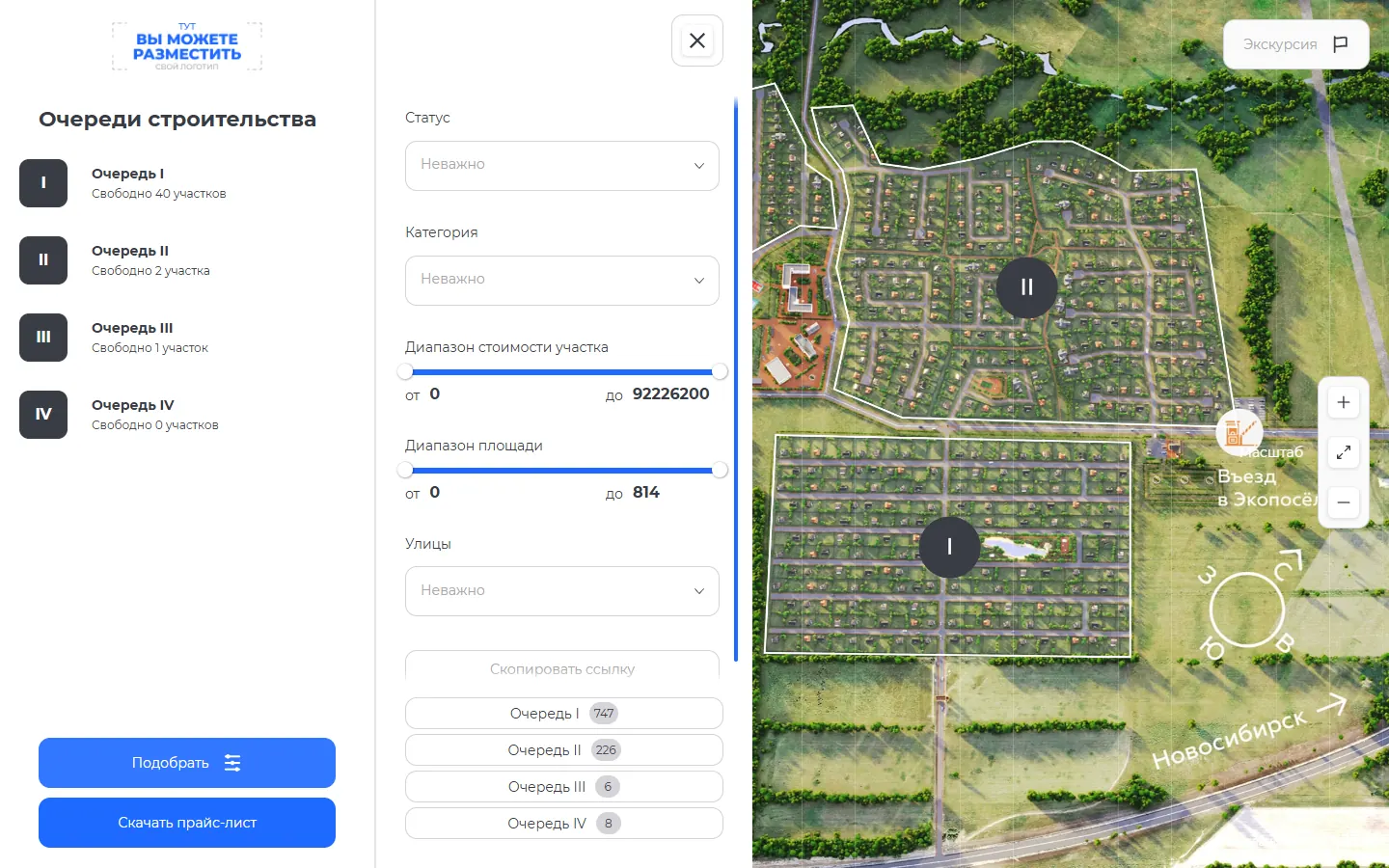
The master plan now has a filter: buyers narrow plots by status, category, price, area and street and see the matches right on the plan.
What’s new
The buyer filters plots by status, category, price, area and street. Matching plots show up on the community master plan. A filtered selection can be shared by link.
How it works
- Price, area, street
- Matching plots on the plan
- Link to the selection
What it looks like
How to use it
- 1
On the master plan, click "Find" («Подобрать»).
- 2
Set the price, area, street or status.
- 3
Click "Copy link" («Скопировать ссылку») to send the selection.
Setup help
We’ll help you set up and get the most out of the update
What we’ll do
- Set it up for your project
- Show your team how to use it
- Answer your questions
Setup help request