



A building’s unit chart right in the dashboard
Apartments show up as a unit chart right inside the property: ticked ones can be edited, copied, archived or used to build an offer or price list.
What’s new
A building’s apartments are shown as a unit chart right inside the property. Ticked apartments can be edited, copied, archived, or used to build an offer or a price list. The unit chart for the website now has its own settings page.
How it works
- The whole building as a unit chart
- Several apartments ticked
- Edit, offer, price list, archive
What it looks like
-
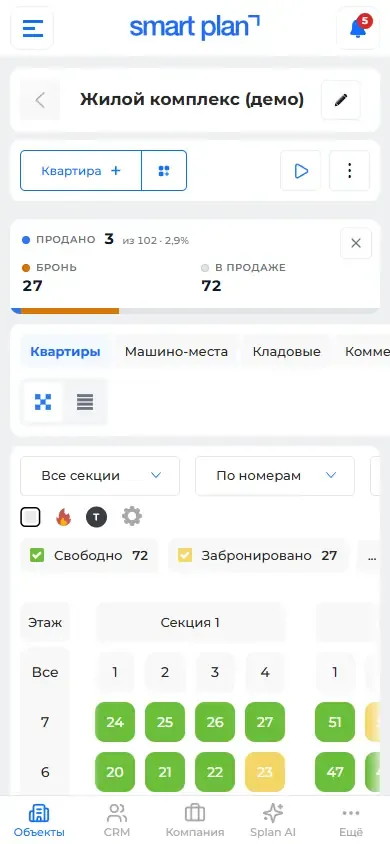
The unit chart on a phone
How to use it
- 1
Open a property → "Units" tab («Помещения»).
- 2
Switch the view to "Unit chart" («Шахматка»).
- 3
Tick apartments and choose an action.
- 4
The website unit chart is set up in "Modules" («Модули») → "Interactive unit chart" («Интерактивная шахматка»).
Setup help
We’ll help you set up and get the most out of the update
What we’ll do
- Set it up for your project
- Show your team how to use it
- Answer your questions
Setup help request