



CRM for developers: from lead to sale
Website leads, sales stages and bookings in one CRM next to your stock and prices. No buyer is entered twice, and you see every deal’s stage.
What’s new
Leads from the website land in the CRM. They move through sales stages — a board with cards, or a table. One buyer is never added twice. A sale or a cancelled booking moves the deal on its own.
How it works
- Lead from the website
- Sales stages
- Booking
- Sale
What it looks like
-
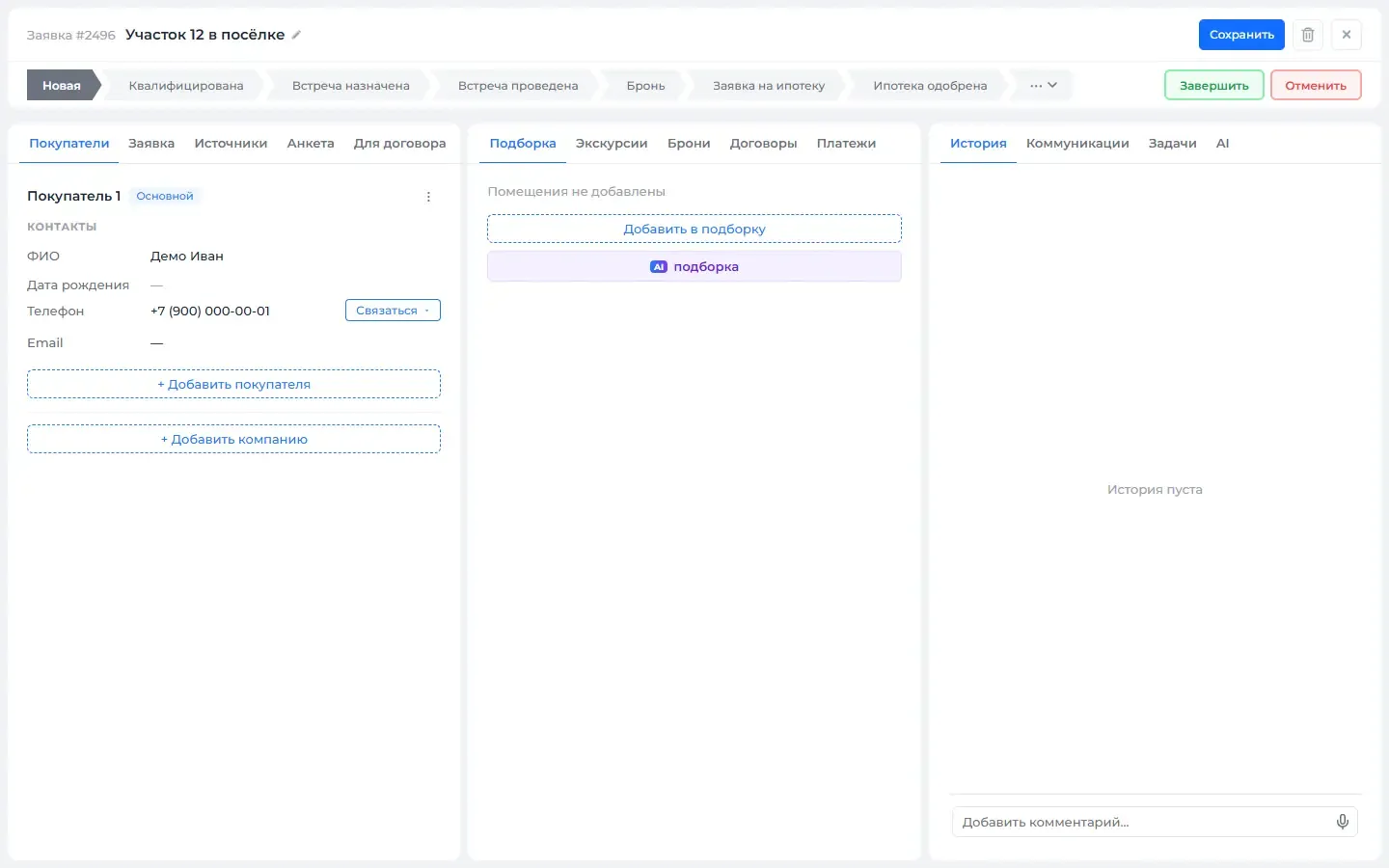
Lead card: buyer, selection, history -
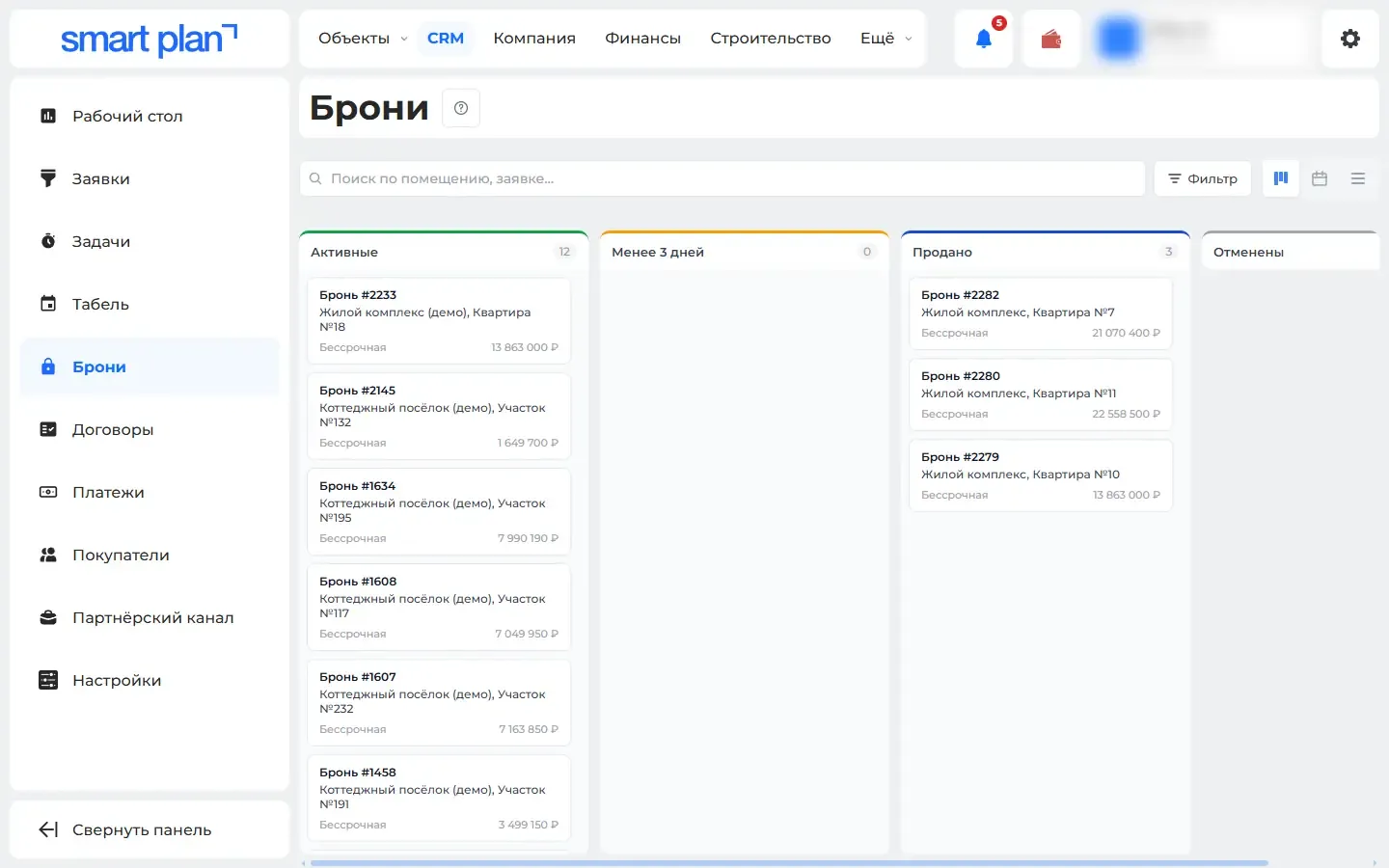
CRM → Bookings: active, expiring and sold
How to use it
- 1
Open the "CRM" section → "Leads" («Заявки»).
- 2
Set up stages in "Pipeline management" («Управление воронками»).
- 3
Choose a view: board or table.
- 4
Bookings are in "CRM" → "Bookings" («Брони»), buyers are in "Buyers" («Покупатели»).
Setup help
We’ll help you set up and get the most out of the update
What we’ll do
- Set it up for your project
- Show your team how to use it
- Answer your questions
Setup help request