Cottage community site tour: how to run a plot viewing that leads to a booking
A plot viewing is a sales step between the shortlist and the booking. Prepare the shortlist and the route in advance, show what the plan cannot, and send the outcome the same day.
Short answer: a viewing is a sales step, not a walk
Buyers come to the community to see what a spreadsheet does not show: the neighbours, the view, the light, the road and the utilities at the plot. If they spend the visit waiting while you search for the right stake, and get nothing afterwards, their interest cools and the deal slips away.
A good viewing starts before you drive out and ends not with a goodbye at the car, but with a shortlist, a proposal or a booking the same day. Below: the five steps of a sale, preparation, finding your way on undeveloped land, what to show on site and how to handle buyers who cannot come.
- Where the viewing sits in the sale
- How to prepare the shortlist and the route
- How to find a plot in an open field
- What to show on site and what to do afterwards
- How to show a plot to buyers who cannot come
For sales managers, sales teams and owners of cottage communities.
Where the viewing sits in the sale
In interviews, heads of sales at cottage communities described the sale as a chain of five steps. First, a manager or agent shortlists plots for the request. Then the buyer is shown the area: the map, the surroundings, roads and amenities. Next comes the site tour of the shortlisted plots. After it, a proposal for the suitable options. The last step is the booking.
A tour can be in person, remote, or hybrid, when one family member is on site and the others watch over a video call. The format changes; the job does not: move the buyer from “I’ve seen it” to the next step.
Hence the main mistake: treating the viewing as a separate event. If the manager does not know what was shortlisted before the visit and has no idea what to send afterwards, the tour turns into a walk.
- Shortlist plots for the request
- Show the area and surroundings
- Tour: in person, remote or hybrid
- Proposal for the chosen plots
- Plot booking
How to prepare the tour: shortlist and route before you go
Buyers arrive with expectations: budget, size, “away from the road”, “next to the forest”. If the manager first hears them at the gate, he shows what he remembers, not what fits.
Preparation takes little time and saves the whole visit. Go through the steps below.
- Clarify the request by phone: budget, size, who decides, what matters — forest, quiet, closeness to the entrance
- Pick three to five plots and check they really are available
- Put them in route order: from the entrance, no doubling back, the best option neither first nor last
- Add points of interest along the way: the entrance, the first finished houses, a playground, the forest, water
- Prepare answers to common questions: what utilities reach the plot, what is being built nearby and when
- Send the buyer the shortlist and the meeting point the day before so they arrive with their own list
A random viewing
- The request is clarified on site
- Plots are found from memory
- After the visit: “I’ll think about it”
A viewing along a planned route
- Shortlist ready before the visit
- A route with no doubling back
- Outcome sent the same day
How to find a plot in an open field
When sales start, a community often has no roads, houses or fences. Managers in the interviews complained that they had to look for the right plot by its number and coordinates in a navigation app while the buyer waited and lost confidence.
This is solved in advance and by hand:
- Put stakes or signs with numbers on plot corners — at least on the plots you show most often
- Save the coordinates of the shortlisted plots on your phone so you can open them with one tap
- Take a map with clear landmarks: a power line, the edge of the forest, a future street
- If you have not been on site for a while, drive the route the day before: after rain some tracks may be closed
- Show the buyer where they are standing on the community plan — this way they remember the plot, not just the field
What to show on site that the plan does not
On the plan, the buyer sees a number, a size and a price. They come for something else: to understand what living here will be like. Buyers put it this way: I want to understand exactly what I am buying so I am not disappointed later.
Walk the plot together and show:
- Neighbours: which plots are taken, which are free, what is already being built nearby
- Orientation: where the sun will be in the morning and evening, which way the garden faces
- The view: forest, field, water — and what may appear in front of the plot later
- Utilities: what already reaches the plot boundary, what will come and when
- Phases: which part of the community is being built now and which later
- Access and amenities: the road in winter, shops, school, public transport
- Where the house could stand and how much room is left for the garden
What to do after the viewing: the outcome the same day
The most common loss happens after the visit. The buyer said “I like this one, and that one too”, the manager nodded, and the choice stayed a verbal understanding. A week later nobody remembers which plot they liked and why they rejected the other.
Record the result right away, while you are on site: which plots they liked, which they did not and why, what questions remain. This helps you and a colleague, if the buyer calls someone else.
Send the outcome the same day. It can be a shortlist of the chosen plots, a proposal with the price and payment options, or a time-limited booking if the buyer is ready. The developer sets the booking period — for example, a week to decide and pay.
Remember that plots are often chosen by the whole family. Whoever came on the tour needs to show the choice at home: as a link or a file, with photos and notes. Then the conversation continues even if the others never saw the site.
When the buyer cannot come: remote and hybrid viewings
The buyer may live in another city, work at weekends or be choosing for their parents. There is no need to give up the viewing — you can run it remotely.
A remote viewing is a video call from the site. Send the community plan and the shortlist in advance so the buyer knows where you are standing. Show the plot from its corners, turn towards the neighbours and the forest, walk to the road. Say where north is and name the neighbouring plot numbers.
A hybrid viewing is when one family member is on site and others join by video. What matters here is that everyone has the same plan and the same shortlist in front of them.
The outcome after a remote viewing is the same: a shortlist, a proposal or a booking on the same day.
Which tool to run the viewing with: paper, a messenger or a master plan on the phone
A printed map and a spreadsheet. Fine for a small community with one manager. The downside: statuses go out of date, and the buyer’s choice stays in the manager’s notebook.
A phone and a messenger: photos of plots, coordinates, a price file. Fast and free. The downside: the shortlist and agreements are scattered across chats, and the head of sales cannot see how many viewings there were and how they ended.
An interactive master plan on the phone plus a CRM. On site, the manager opens the plan with statuses, shortlists plots, makes a booking and sends a proposal, and the viewing is recorded in the lead. Various services offer such tools, Smart plan among them. The downside: they need setting up, and the team needs to get used to them.
How it works in Smart plan
A viewing is created from a lead and shows up in the “Viewings” tab as a board, a calendar or a table. A reminder comes before the viewing; afterwards the manager marks whether it took place. The CRM section is enabled on request. There is no separate tour route builder: the manager sets the order of plots himself.
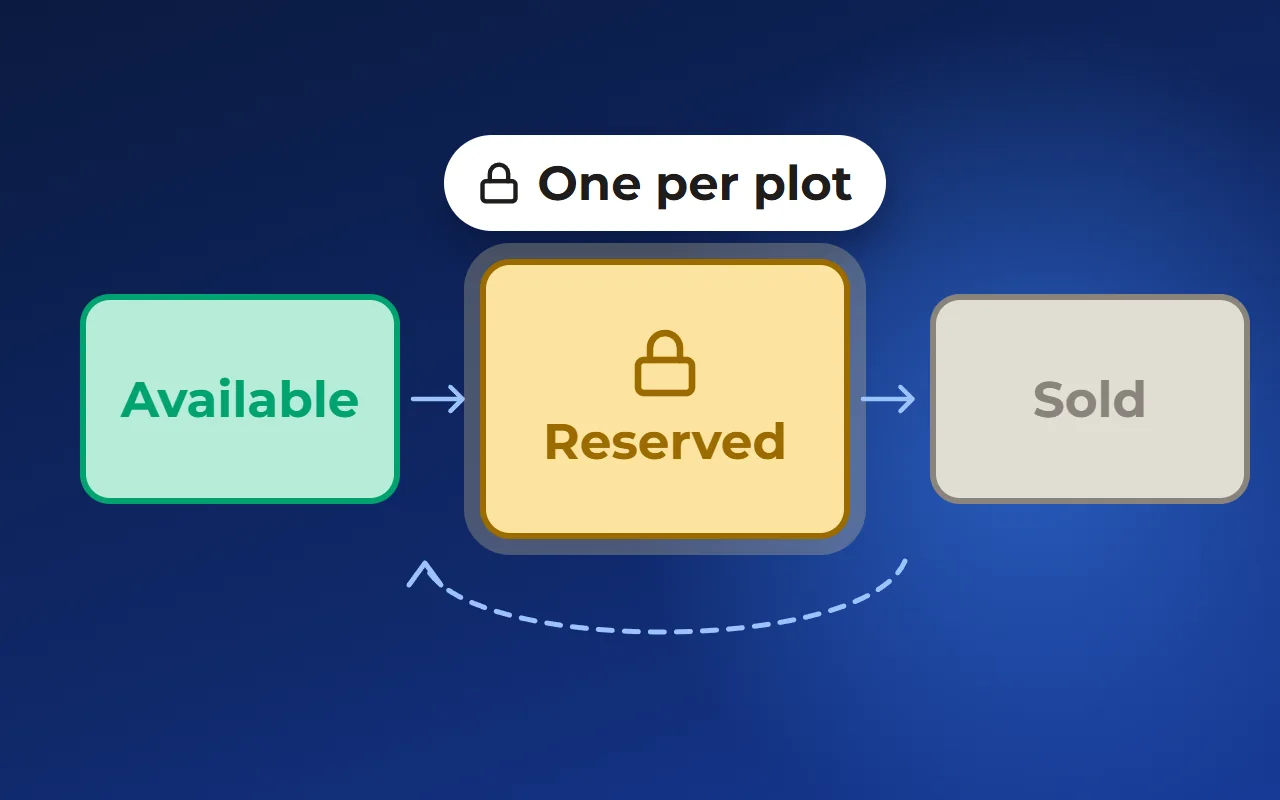
The manager shortlists plots on the master plan, adds them to the lead and turns them into a PDF proposal with photos, layout, price and payment options. A booking is made for a set period with a person responsible; before it ends, the manager gets an email and the buyer an SMS. The account can be added to the phone’s home screen as an app to work with availability and leads in the field.
The community master plan can be shown on a map or a satellite image, with a utilities layer and a “you are here” point — the buyer finds their plot by phone. The plot card shows its boundaries on the map and the sun’s path in summer and winter. The buyer can share the shortlist with family via a link.
To see how it looks, open the “CRM for developers” and “Interactive master plan” pages — the links are below, in “Related solutions”.
- 1All viewings in one place
Questions and answers
How do I show a plot to a buyer?
Clarify the request in advance, pick three to five plots and plan a route from the entrance. On site, show what the plan does not: neighbours, orientation, the view, utilities and access. The same day, send a shortlist or a proposal, or offer a booking.
How do I find a plot on site if the community has no roads yet?
Put stakes or signs with numbers on plot corners, save the coordinates on your phone and take a map with landmarks. If you have not been on site for a while, drive the route the day before.
What should I do after a plot viewing?
Write down at once which plots the buyer liked, which not and why. The same day, send the outcome: a shortlist, a proposal with price and payment options, or a time-limited booking. That way the choice does not stay a verbal understanding.
Can I show a plot to a buyer who cannot come?
Yes. Send the community plan and the shortlist in advance and run the viewing over video: plot corners, neighbours, the view, access. Name the directions and the neighbouring plot numbers so the buyer knows where you are standing.
Can a site tour be run from a phone, without a laptop?
Yes, if the master plan and availability open on the phone. In Smart plan, for example, the account can be added to the home screen as an app: the manager shortlists plots, makes a booking and builds a proposal during the meeting. The CRM section is enabled on request.