


Splan product updates — page 6
Cases, news and updates
How developers sell with the master plan and unit chart, what’s happening at the company and what’s new in the platform.
Updates: 75 updates, 2024–2026; 2024: 5, 2025: 12, 2026: 58. Latest: November 2026. Product areas: 10 areas; Interactive master plan: 22, Platform: 17, Properties and data: 16, CRM: 5.
-
Floor plan settings apply to the whole building
A setting from one floor can be applied to all floors or to chosen ones. Getting a multi-storey building ready to show on the website takes minutes, not hours.
What it gives you: Getting a multi-storey building ready to show on the website takes minutes, not hours.
-
Lots import from the system where you keep them
If your stock is already kept in another system, Splan pulls it from the same link you give Yandex Realty and refreshes it every hour.
What it gives you: You do not enter stock twice. Prices and statuses match everywhere.
-
Plots and apartments load from Excel
Hundreds of lots are added with one Excel spreadsheet and exported back the same way. Each lot’s price can be adjusted — a markup or a discount, with a reason.
What it gives you: A property fills up in minutes. Any price adjustment is visible and explained.
-
Apartment complex master plan: building to apartment
The buyer picks a phase, building, floor and apartment right on the photo of the house and the floor plan, and opens a card with the layout and price.
What it gives you: The buyer finds an apartment with the right floor and view on their own. They come to the sales team with a choice already made.
-
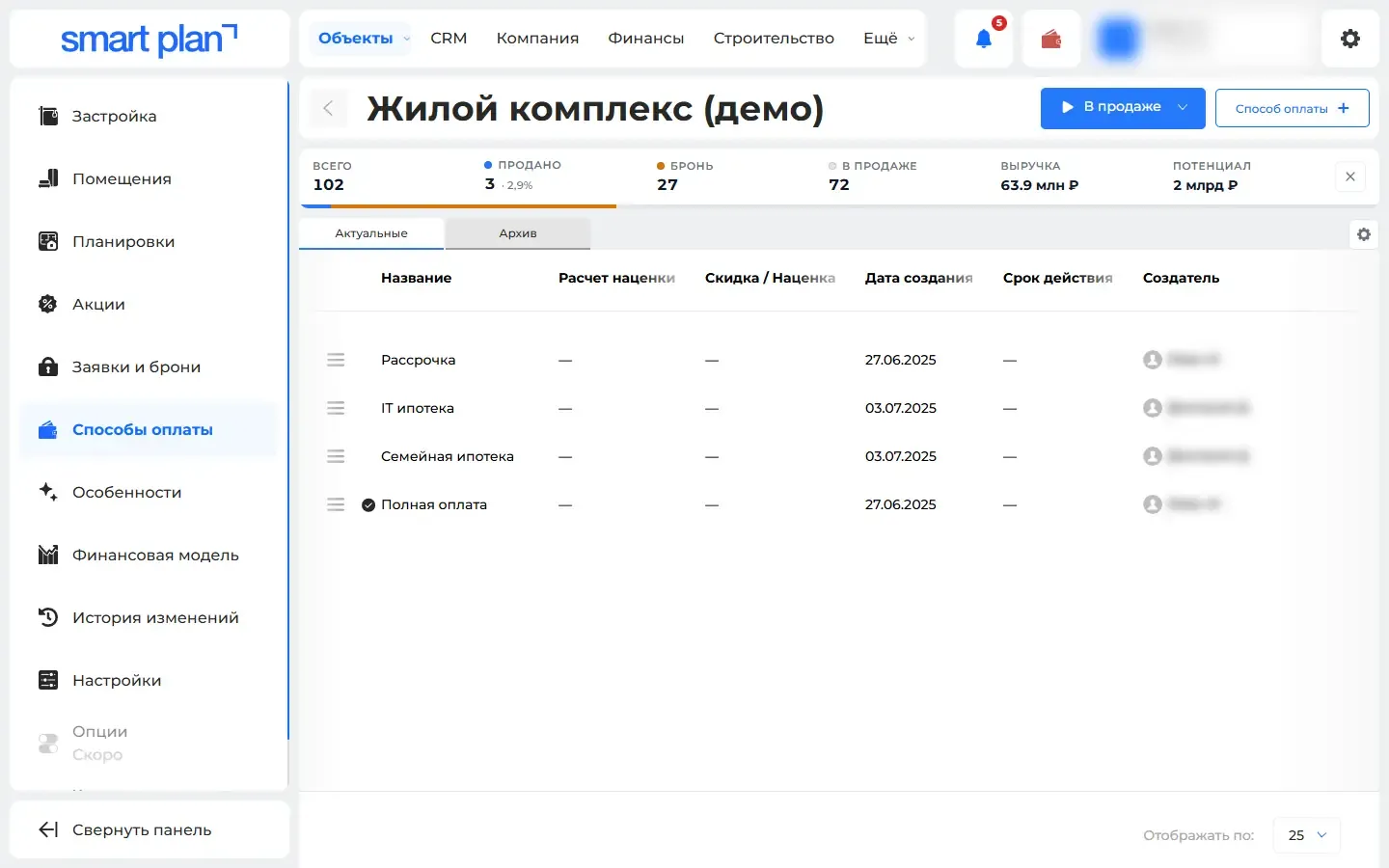
Mortgage and installments with a monthly payment
The buyer sees the monthly payment on a mortgage or installment plan on your website — with down payment, term and rate — and knows if it is affordable.
What it gives you: The buyer immediately sees whether they can afford it. The manager gets fewer repeat questions about it.
-
A PDF price list from current prices
The price list builds itself from current prices and statuses — no need to edit a table anymore. You decide which columns go where in the template.
What it gives you: The price list is always fresh. No need to redo the table every time prices change.
-
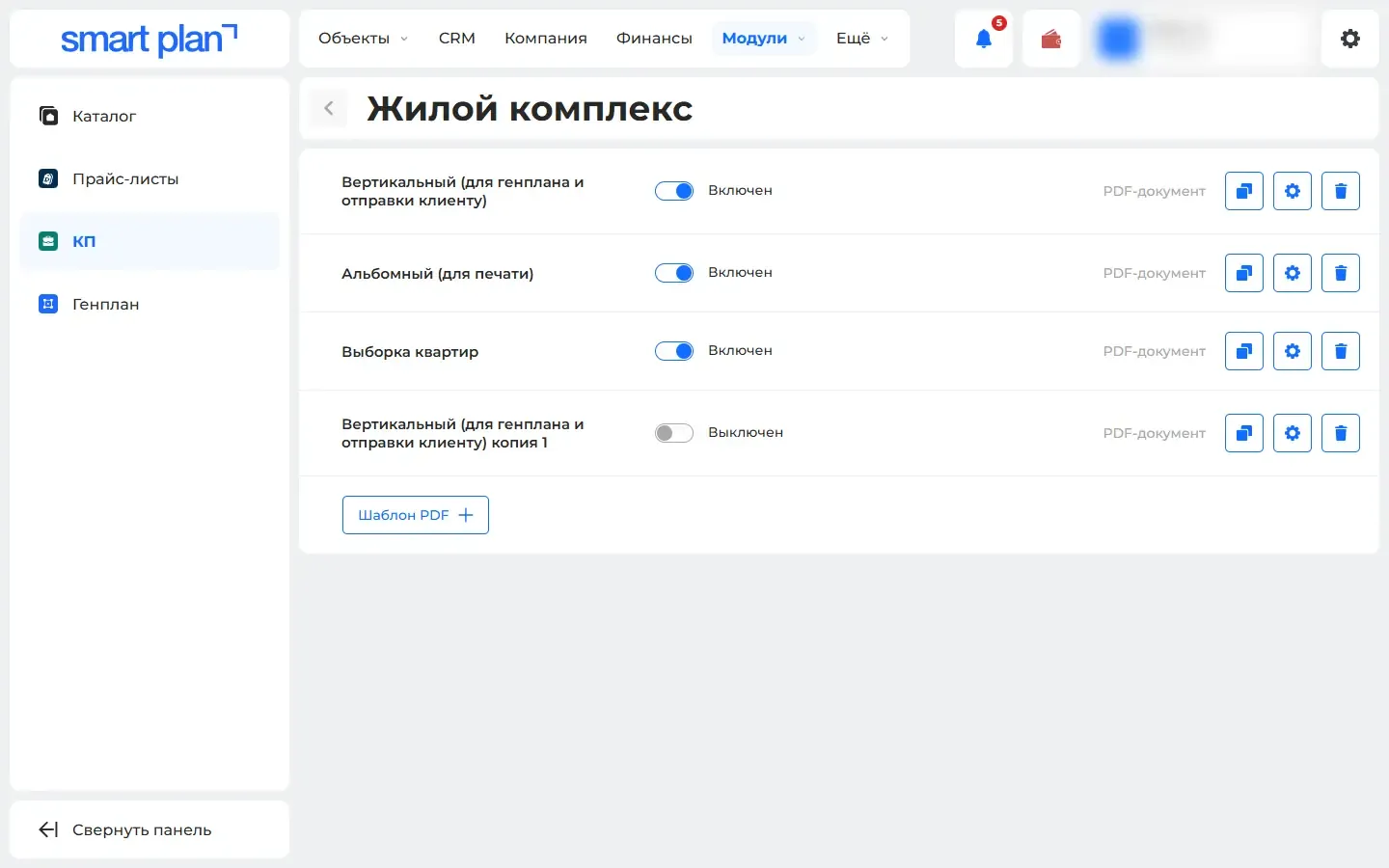
A commercial offer in PDF in a couple of clicks
The manager ticks lots and gets a ready PDF offer for the buyer with photos, floor plan, price and payment options, from a template in your brand style.
What it gives you: The manager sends a neat offer in a minute instead of laying it out by hand.
-
Listings now also go to Domclick and M2
Domclick and M2 have joined the listing sites: more buyers see your properties, and there is still no need to post listings by hand.
What it gives you: More buyers see your properties. No need to post listings by hand.
-
Website leads arrive in Telegram
A new lead from the master plan or unit chart reaches the manager in Telegram within seconds, and a “not a robot” check keeps spam bots out.
What it gives you: The manager sees the lead on their phone within seconds. Bots do not clutter the list of leads.
-
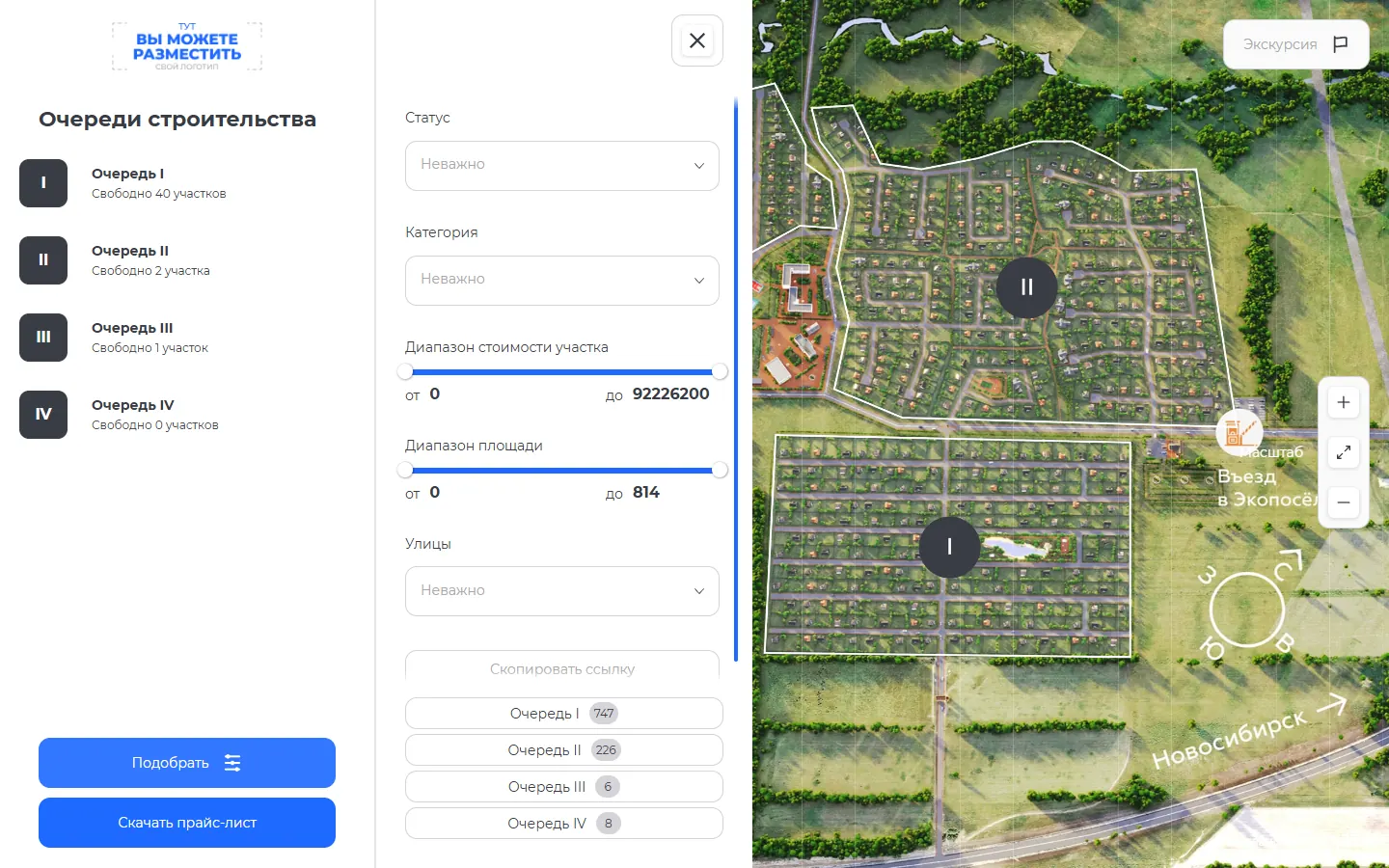
Buyers can filter plots by price, area and street
The master plan now has a filter: buyers narrow plots by status, category, price, area and street and see the matches right on the plan.
What it gives you: The buyer finds their plot faster and comes to the office with a ready choice.
-
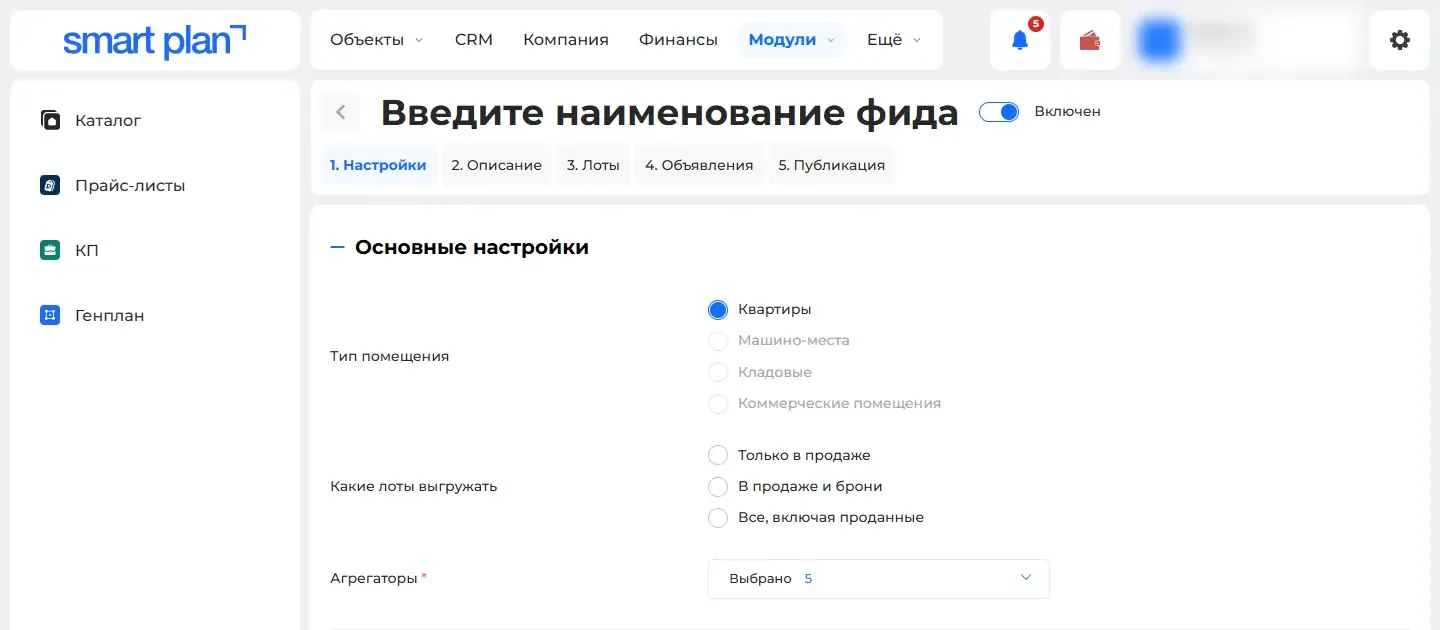
Cian, Avito and Yandex Realty listings in one place
Listings build themselves from your prices and project data and go out to listing sites. Removing sold units is on request — we enable it in export settings.
What it gives you: Listing prices match the project. Taking sold units down and choosing which statuses to export are on request — we turn it on in the export settings.
-
Bookings with a deadline and reminders
A lot is booked for a set time. Before it ends, the manager gets an email and the buyer a text, and an expired booking is lifted by itself.
What it gives you: Lots do not sit in booking for months. An expired booking is lifted automatically, and the lot goes back on sale.
Nothing matches these filters
Remove some filters or ask us — we’ll help.
Demo
In a 30-minute demo we’ll set up the master plan and show you how to use it
We’ll set up at the meeting
- Master plan and unit chart
- Installation on your site
- Quote generator
- Price lists
- Feeds to listing portals
- Training